6"
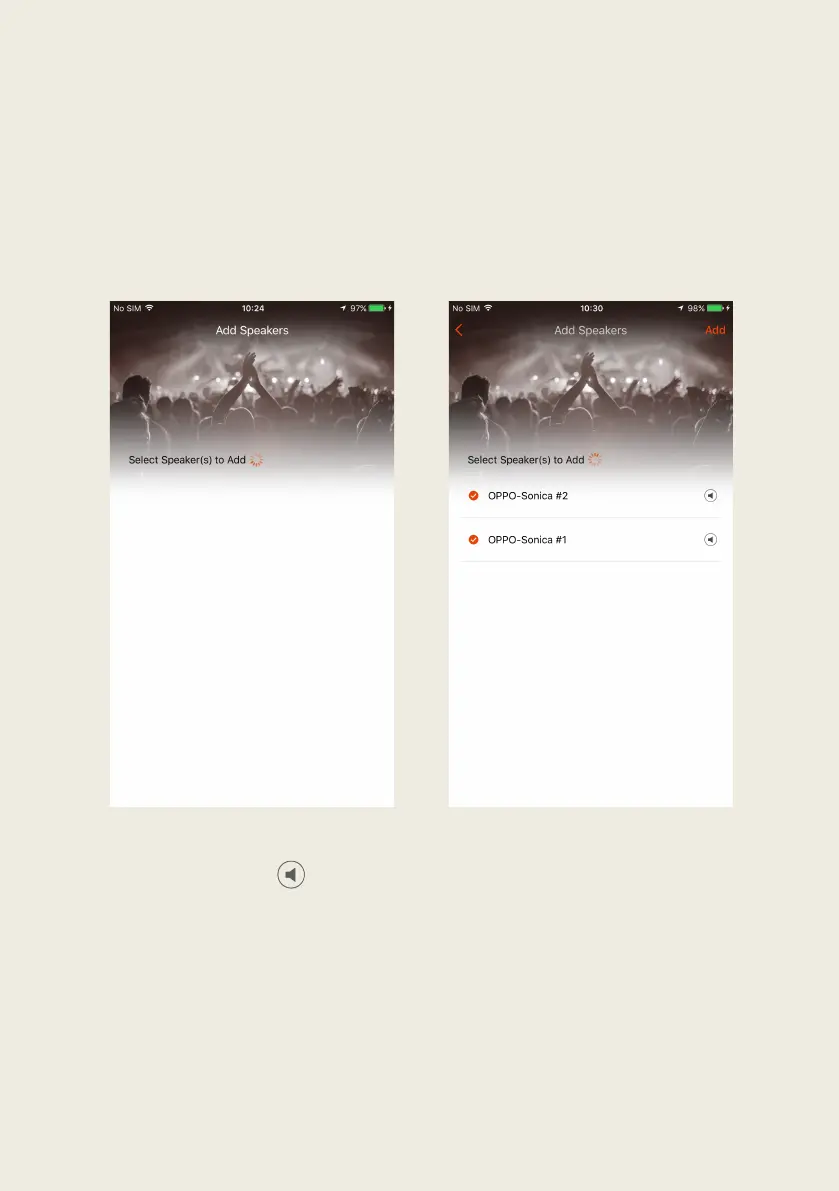
3. The"app" will"search"the" netw o rk" for"speakers"and"display"them"in" a"list."
You"can"then"tap"on"the"circle"to"the"left"of"the"speaker"nam e"to"add"a"
single" speaker" or" multiple" speakers" simultaneously." Then" tap" “Add”" on"
the"upper"right"co rne r"to"add"the"speakers"to"the"system."
4. The" app" will" confirm" that" setup" is" complete." C o n gra tu lat ion s ," now" you"
can"enjoy"your"favorite"music"with"Sonica!"
""""" "
"
! Note:"Tapping"on" " ""to"the"right"of"the"sp ea ker"na m e"w ill"play"a"ton e"
through"the"sp ea ker"to "help "you "distingu ish"d ifferen t"So nica "spea kers "
from"each"o the r."
"


 To Next Page