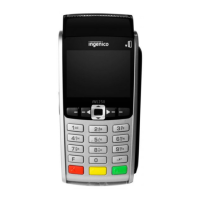
13.
PAX S920 SETUP
• Press red X button for approx. 3 seconds to power down device
• Remove back panel and insert SIM card into left-most slot (the battery
does not cover the SIM card slots so it does not need to be removed but
terminal should be powered down)
• Replace panel and press red X button again for approx. 3 seconds to
power on device
• Device will display “Please wait Radio Init” while GPRS connects
• If device connects, it will show status bars on top left.
• If device needs APN entered manually, press both the 1 button and
green enter button simultaneously and release, to enter main menu
• Select communication
• Input password 0601 and press Enter
• Scroll down to Wireless Parameters menu
• Select option 1 for APN
• Type in APN, press Enter
• Red X button back to main screen, should then display “Please wait
Radio Init” while GPRS connects
• Press both the 1 button and green enter button simultaneously and
release, to enter main menu
• Select communication
• Input password 0601 and press Enter
• Select Main Comm
• Select Wireless
• (Repeat for backup comm if needed)
• Press red X button back to main screen
ENTERING THE SIM CARD:
ENTERING APN MANUALLY:
CHANGING COMM SETTINGS:



 To Next Page