
 Need help?
Do you have a question about the Optelecom-nkf Siqura C-54 E-MC and is the answer not in the manual?
Defines the manual's applicability to the C-54 E video server and its features.
Identifies target readers as network engineers, technicians, and operators.
Lists prerequisites for users, including electronic devices, Ethernet, and video compression.
Specifies that installation and maintenance must be done by trained personnel.
Details compliance with UL/IEC/EN 60950-1, power supply, and temperature considerations.
Addresses potential hazards from Class 1M lasers/LEDs and precautions for eye safety.
Covers electromagnetic compatibility regulations and potential interference.
Warns about electrostatic discharge damaging electronic components.
Provides guidelines for keeping the module operating reliably, avoiding dust and moisture.
Advises on recycling valuable materials and safe battery disposal.
Introduces the C-54 E as a 4-channel IP video server supporting MPEG-2/4 and MJPEG.
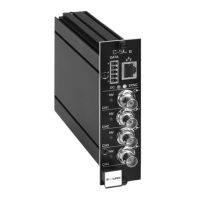
Details the C-54 E's front panel connectors, LEDs, and their indications.
Lists electrical requirements (voltage, current, power) and environmental operating/storage temperatures.
Instructions for powering rack-mount and stand-alone C-54 E modules.
Guide for connecting network, video, and data cables to the module.
Describes the expected LED behavior and initial status after powering up.
Details pin assignments for the mini Combicon data connector and Ethernet connector.
Explains how to update device definitions using EMX and SNM plug-ins.
Guides on setting PC network adapter and connecting to the module for initial configuration.
Explains how to establish video and data streams using internal web pages or tools.
Describes accessing and using the module's internal web server for configuration and viewing.
Details the proprietary protocol for module access, configuration, and stream management.
Explains using SNMP for monitoring network devices and events.
Covers protocols for integration and streaming, including URL format examples.
Lists PC requirements and network connection needed for web access.
Step-by-step guide to logging into the C-54 E's internal web server.
Explains the menu, sections, buttons, and tabs used in the web interface.
Describes how to view live video streams in Matrix and Maximized modes.
Details how to check stream states (Idle, Waiting, Ok) and measurements.
Covers setting IP address, subnet mask, and gateway for network compatibility.
Explains configuration for general settings, encoders, Live View, OSD, and VMD for video inputs.
Guides on configuring UART settings, wire mode, and transmitter/receiver for serial data.
Describes enabling and managing PTZ control for cameras connected to analog inputs.
Covers general information, SNMP, MX, Auto Discovery, Firmware, and Reboot options.
Details managing user accounts for Web Access and Linux root password.
Explains manual adjustment and SNTP configuration for device date and time.
Describes how to log out from the web interface.
Explains using the C-54 E in a multicasting setting with network configuration.
Describes the multi-unicasting feature for sending independent video copies.
Details eligible UDP port numbers and default receiver port assignments.
Instructions for installing the MPEG-4 Video Plug-in ActiveX control from the CD.
Steps to add C-54 E web pages to Trusted Sites and adjust security settings for ActiveX.
Instructions to enable active scripting in Internet Explorer for correct web page display.
States that QuickTime and VLC are supported plug-ins for displaying video.
Provides specific settings for VLC media player on Windows Vista PCs.
 General
| Brand | Optelecom-nkf |
|---|---|
| Model | Siqura C-54 E-MC |
| Category | Server |
| Language | English |

 To Next Page