DV8555Quick Reference Guide V1.0
~ 5 ~
SystemConnection
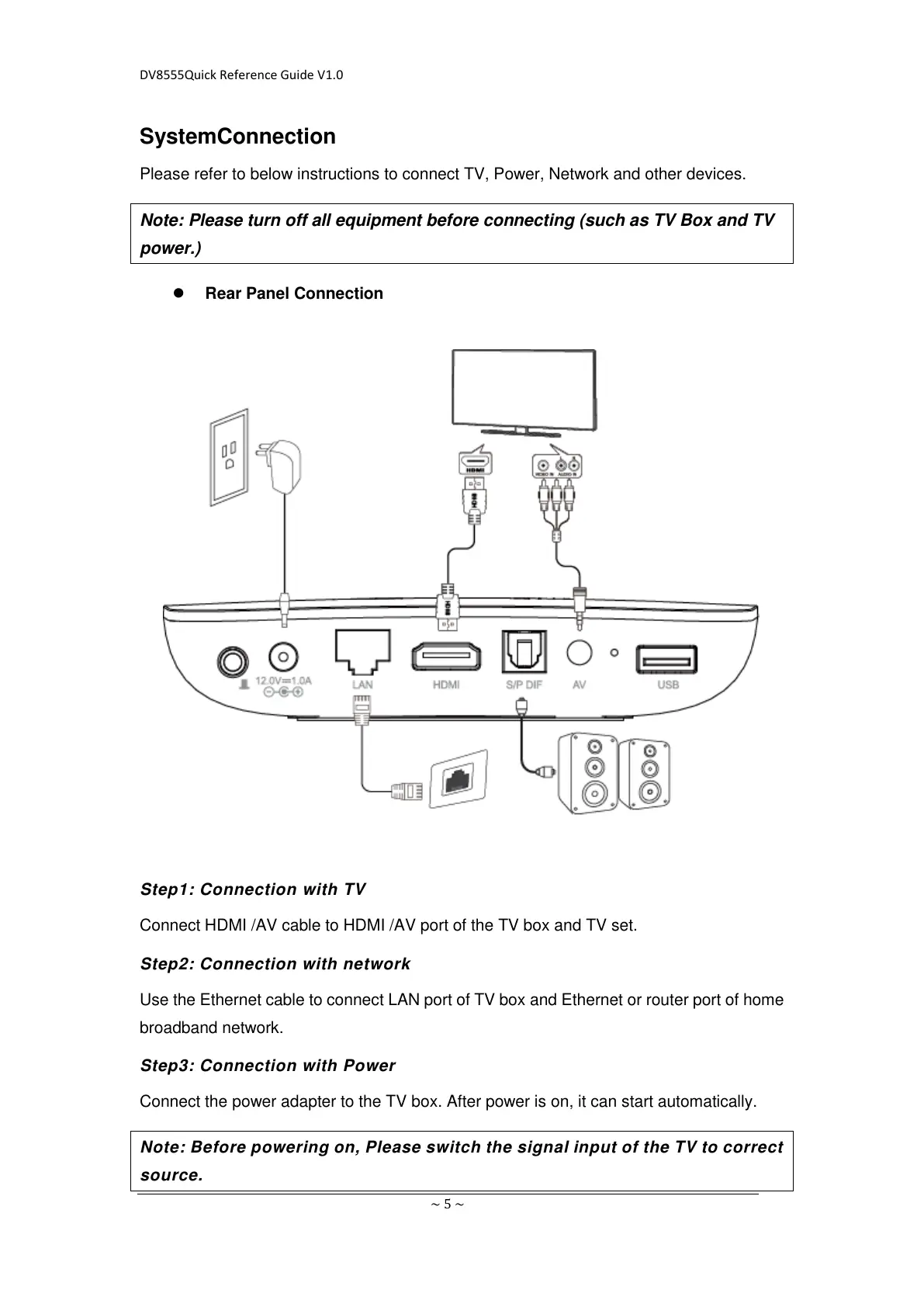
Please refer to below instructions to connect TV, Power, Network and other devices.
Note: Please turn off all equipment before connecting (such as TV Box and TV
power.)
Rear Panel Connection
Step1: Connection with TV
Connect HDMI /AV cable to HDMI /AV port of the TV box and TV set.
Step2: Connection with network
Use the Ethernet cable to connect LAN port of TV box and Ethernet or router port of home
broadband network.
Step3: Connection with Power
Connect the power adapter to the TV box. After power is on, it can start automatically.
Note: Before powering on, Please switch the signal input of the TV to correct
source.


 To Next Page