EasyManua.ls Logo

Optimus CD-8150 - User Manual

Optimus CD-8150
24 pages
Print Icon
To Next Page IconTo Next Page
Loading...
Cat. No. 42-5071
OWNER’S MANUAL
Please read before using this equipment.
CD-8150
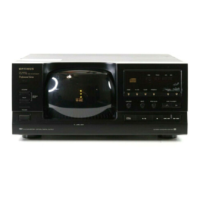
5-Disc Compact Disc Changer
42-5071.fm Page 1 Thursday, August 12, 1999 10:45 AM

Questions and Answers

  • A
    Anthony HughesJul 29, 2025
    What to do if my Optimus CD-8150 is loaded but play does not start?
    • E
      Erica PriceJul 29, 2025
      If your Optimus CD Player doesn't start playing after loading a CD, consider these possibilities: * The CD might be loaded upside-down. Make sure to load the CD with the label side up. * The CD might be dirty or scratched. Clean the CD with a CD cleaner kit. If scratched, use a scratch repair product. * The CD might not be a standard size. Load a standard 3- or 5-inch compact disc.

Summary

IMPORTANT SAFETY INSTRUCTIONS

Heed Warnings

Follow all warnings on the product and in the operating instructions.

Water and Moisture

Do not use this product near water.

Power Sources

Operate using only the indicated power source.

PREPARATION

Connecting the CD Changer

Steps to connect the CD changer to your audio system and to power.

OPERATION

Loading CDs

Steps to load 5-inch or 3-inch CDs into the changer.

Playing CDs

Instructions on how to play loaded CDs and manage playback.

SPECIAL FEATURES

TROUBLESHOOTING

Limited One-Year Warranty

Optimus CD-8150 Specifications

General IconGeneral
TypeCD Player
Disc Capacity1
DAC1-bit
Frequency Response20 Hz - 20 kHz
Total Harmonic Distortion0.05%
Line OutputYes
Channels2
Power Consumption15W

Related product manuals