LS-320 Quick guide Version 3.0 1/1
LS-320
WARNING:
⋅ Make sure the power outlet conforms to the power
requirements before connect the apparatus to AC
mains.
⋅ Do not install the unit near heat sources.
⋅ Only qualified service personnel should be allowed to
install and operate the unit.
FEED BACK SUPRESSOR
QUICK INSTALLATION GUIDE
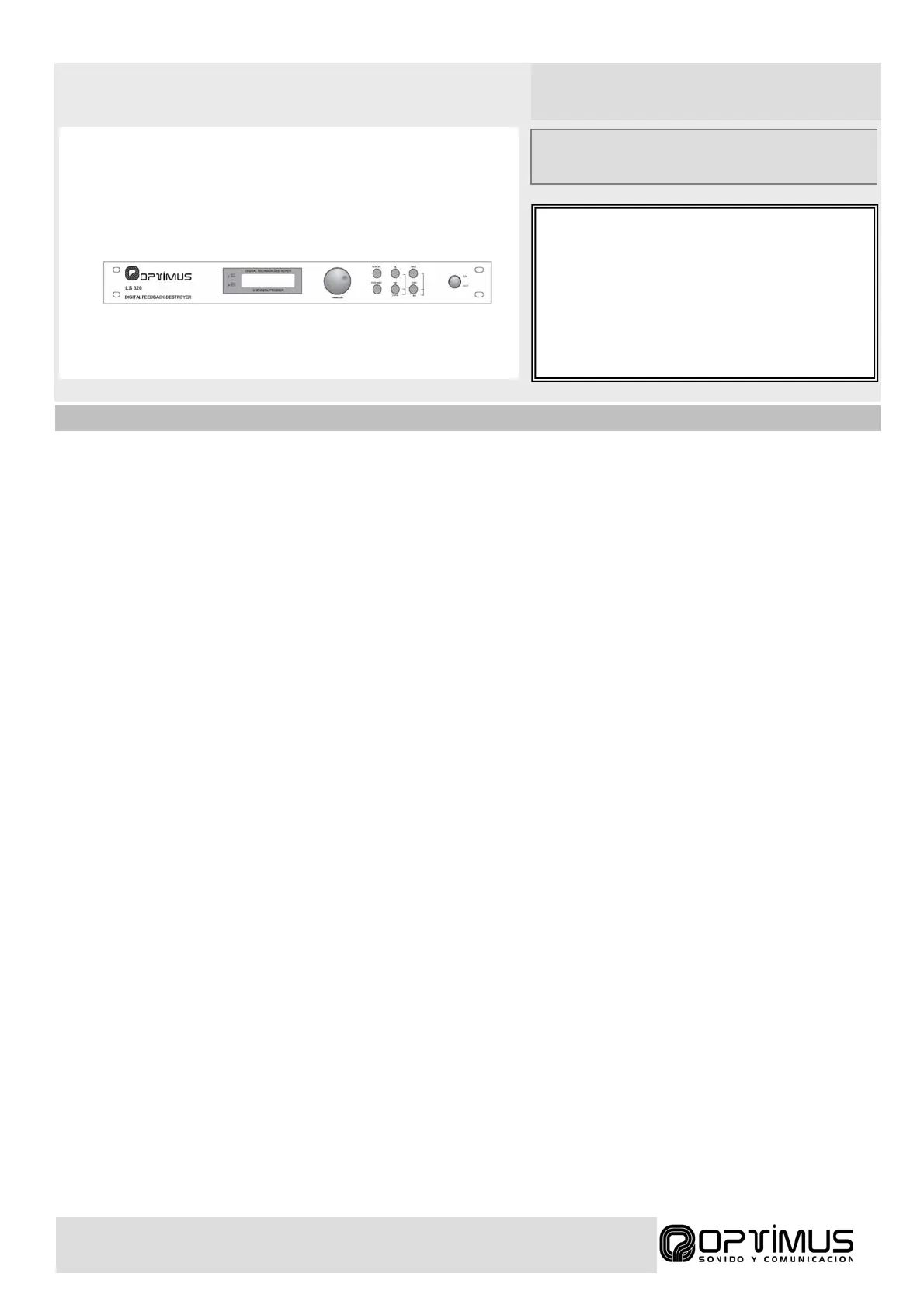
1. Enter the audio signal through INPUT 1 and INPUT 2 connectors. The processed audio signal is sent to OUTPUT 1 and OUTPUT 2
connectors. This unit works with auxiliary level audio signals only.
2. Reset the unit in order to delete any old adjustments. Turn off the equipment; turn it on while holding down FILTER SEL and STORE buttons.
“RESET” will appear on screen.
3. Push FILTER SEL until the screen symbol “
→” situated after symbol “P” starts blinking. Rotate the jog dial to select a program out of 10
available, for example “P:1” (Program nº 1) Saving changes in program nº 0 is not allowed, use it for testing purposes only.
4. Select channel “CH: L” for channel 1 or “CH:R” for channel 2 depending on used input. In this mode channels are adjusted independently. If
“CH: LR” is selected, both channels will have the same settings.
5. Press FILTER MODE twice and then PUSH to enter filter edit menu. Now you can select which filters will be Single-Shot or Auto on your new
program. Use Single-shot for static microphones and Auto for mobile microphones.
Note: Even if the microphone is completely static it is recommended to keep two to three filters as Auto.
6. When adjusting Single Shot filters, you must place the microphone at its normal use position. Turn the microphone on and set the amplifier
volume at minimum level. Speak while slowly increasing the volume until feedback appears. Let feedback sound until LS-320 detects it and
deletes the problematic frequency. Continue increasing volume and deleting frequencies.
7. In case of Automatic filters is not necessary to make any adjustment. The equipment will search and destroy problematic frequencies when
these appear.
Note: This operation method implies that feedback will be audible during short period of time before it is suppressed.
8. Push STORE thrice to memorize adjusts.
9. You can disable feed back destroyer effects by means of BYPASS function. With this function the equipment will not affect the audio signal, so
turning it ON/OFF will let you check the LS-320 effects on the signal. You can activate it by pushing BYPASS button. You can disable it
pushing BYPASS again.
10. Parameters are dependent on installation characteristics. You must reconfigure the equipment if the location, number or characteristics of
installed microphones or speakers changes.


 To Previous Page
 Loading...