Reseng the device
Use a small pin or a paperclip to press the reset buon. Press and hold the buon for approximately
10 seconds to perform a factory reset.
See the chapter ˝LED & Buon overview˝ to locate the pinhole.
Safety Instrucons
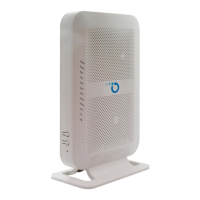
Do not install the Opsis E704 during an electrical storm.-
During an electrical storm, disconnect the Opsis E704 from the power supply and from the -
WAN network.
The Opsis E704 must newer be covered or placed in an enclosed place.-
Do not place the Opsis E704 on or near excessively heat-sensive surfaces.-
Do not place the Opsis E704 on carpets or upholstery.-
Provide for sufficient air circulaon around the Opsis E704.-
The Opsis E704 is intended for indoor operaon only.-
To prevent fires and electrical shocks avoid using socket strips and extension cords if at all
possible.
Do not connect mulple extension cords or socket strips to each other.
Never let liquids get inside the Opsis E704.-
Protect the Opsis E704 from moisture and vapors.-


 To Next Page