Need help?
Do you have a question about the Optoma HD146X and is the answer not in the manual?
Crucial guidelines for safe operation and handling of the projector to prevent hazards.
Step-by-step guide for cleaning the projector lens safely and effectively to maintain image quality.
Precautions and health considerations for users when viewing 3D content to avoid discomfort.
Information on publication rights, disclaimers, and trademark acknowledgments.
Details on trademark recognition and FCC compliance regulations for device operation.
Compliance with EU directives and instructions for proper electronic waste disposal.
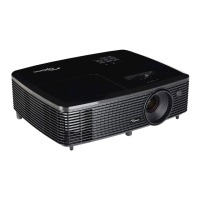
Details on included items and a description of the projector's physical components and features.
Overview of available input and output ports for connecting external devices.
Explanation of the projector's physical buttons and remote control functions.
Guidelines for physically installing and positioning the projector in various orientations.
How to connect external sources and fine-tune the projected image.
Instructions for inserting and replacing batteries in the remote controls.
Information on the optimal operating distance and angle for the remote control.
Procedures for turning the projector on/off and selecting input sources.
Guide to accessing and using the projector's menu system for adjustments.
Comprehensive breakdown of image, audio, and system settings within the OSD.
Adjusting display modes, aspect ratio, zoom, focus, and geometric correction.
Instructions for replacing the projector lamp, including safety precautions and warnings.
Solutions for common problems like no image, out of focus, or remote control issues.
Details on supported resolutions, image sizes, and projection distances.
Lists of codes and functions for both remote controls.
Explanation of status lights, error messages, and contact information for support.
 General
| Native aspect ratio | 16:9 |
|---|---|
| Projection distance | 1 - 9.8 m |
| Projection technology | DLP |
| Supported aspect ratios | 4:3, 16:9 |
| Contrast ratio (typical) | 25000:1 |
| Screen size compatibility | 28 - 301 \ |
| Projector native resolution | 1080p (1920x1080) |
| Keystone correction, horizontal | 40 ° |
| Lamp power | 240 W |
| Lamps quantity | 1 lamp(s) |
| Light source type | Lamp |
| Service life of light source | 4000 h |
| Service life of light source (economic mode) | 10000 h |
| Focus | - |
| Offset | 116 % |
| Throw ratio | 1.47:1 ~ 1.62:1 |
| Zoom capability | Yes |
| Focal length range | 15.59 - 17.14 mm |
| Supported 3D formats | Frame packing, Side by side, Top and bottom |
| Supported video modes | 480i, 480p, 576i, 576p, 720p, 1080i, 1080p |
| Analog signal format system | NTSC, NTSC 3.58, NTSC 4.43, NTSC J, NTSC M, PAL, PAL 4.43, PAL B, PAL D, PAL G, PAL H, PAL I, PAL M, PAL N, SECAM, SECAM 4.25/4.4, SECAM B, SECAM D, SECAM G, SECAM K, SECAM K1, SECAM L |
| DVI port | No |
| HDMI version | 1.4a |
| HDMI connector type | Full-size |
| USB 2.0 ports quantity | USB 2.0 ports have a data transmission speed of 480 Mbps, and are backwards compatible with USB 1.1 ports. You can connect all kinds of peripheral devices to them. |
| VGA (D-Sub) ports quantity | 0 |
| Noise level | 26 dB |
| Number of OSD languages | 25 |
| On Screen Display (OSD) languages | ARA, CHI (SIMPL), CZE, DAN, DEU, DUT, ENG, ESP, FAS, FIN, FRE, GRE, HUN, IND, ITA, JPN, NOR, POL, POR, RUM, RUS, SWE, TUR, VIE |
| RMS rated power | 5 W |
| Placement | Ceiling, Floor |
| Product type | Standard throw projector |
| Product color | Black |
| Market positioning | Home cinema |
| Cable lock slot type | Kensington |
| Power source | AC |
| AC input voltage | 100 - 240 V |
| AC input frequency | 50 - 60 Hz |
| Power consumption (max) | 295 W |
| Power consumption (standby) | 0.5 W |
| Power consumption (typical) | 205 W |
| Operating altitude | 0 - 3000 m |
| Operating temperature (T-T) | 5 - 40 °C |
| Operating relative humidity (H-H) | 0 - 85 % |
| Harmonized System (HS) code | 85286200 |
 Weight and Dimensions
| Depth | 244 mm |
|---|---|
| Width | 316 mm |
| Height | 108 mm |
| Weight | 2800 g |
| Package weight | 4500 g |

 To Next Page