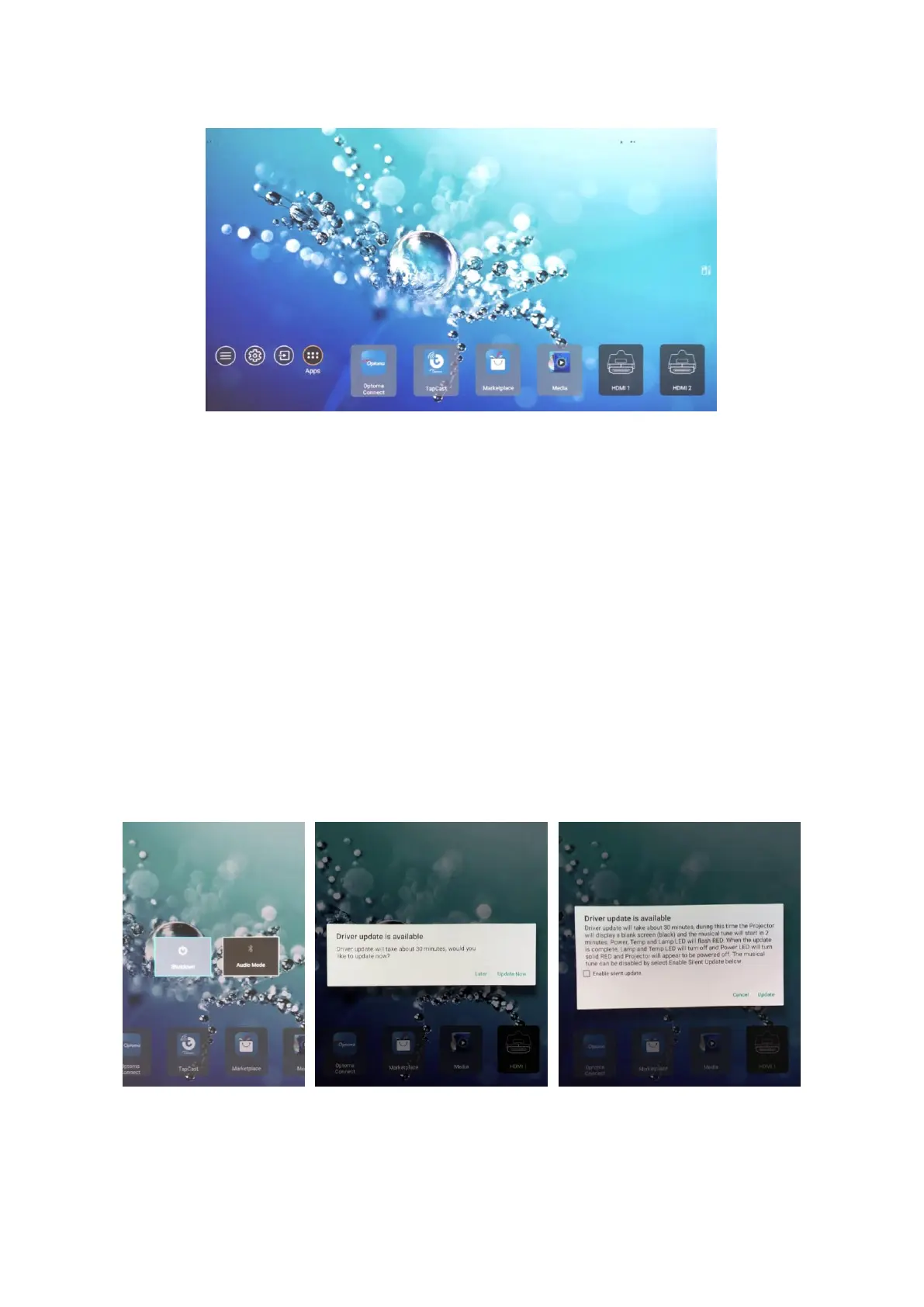
6. Complete projector setup and enter home page.
B. Driver/Firmware Upgrade
Note: Upgrading Driver and Firmware takes up to 30 minutes. Therefore, please
start the upgrade when you have no immediate use of the projector.
1. Start Driver/Firmware Upgrade when turning off the projector.
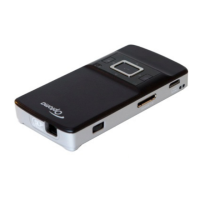
(a). Press the On/Off button and select “Shutdown” to turn off the projector.
(b). Once the message box pops up, select “Update now” to confirm the Driver
Upgrade.
(c). A second message box will pop up. Select “Update” to confirm the Firmware
Upgrade and start the Driver/Firmware Upgrade (usually takes 30 minutes.)
Note: The entire Driver/Firmware Upgrade is on black screen with music as the
indicator. If you wish to upgrade in silence, please check the “Enable silent
upgrade” in the second message box.
2. The Driver/Firmware Upgrade will be completed when the music stops. If you
selected “Enable silent upgrade,” please note the projector will be turned off
automatically when the upgrade is completed. (The LED indicator will turn red.)


 To Previous Page