EN-63
You can set the name of your computer under Optoma Presenter
Management.
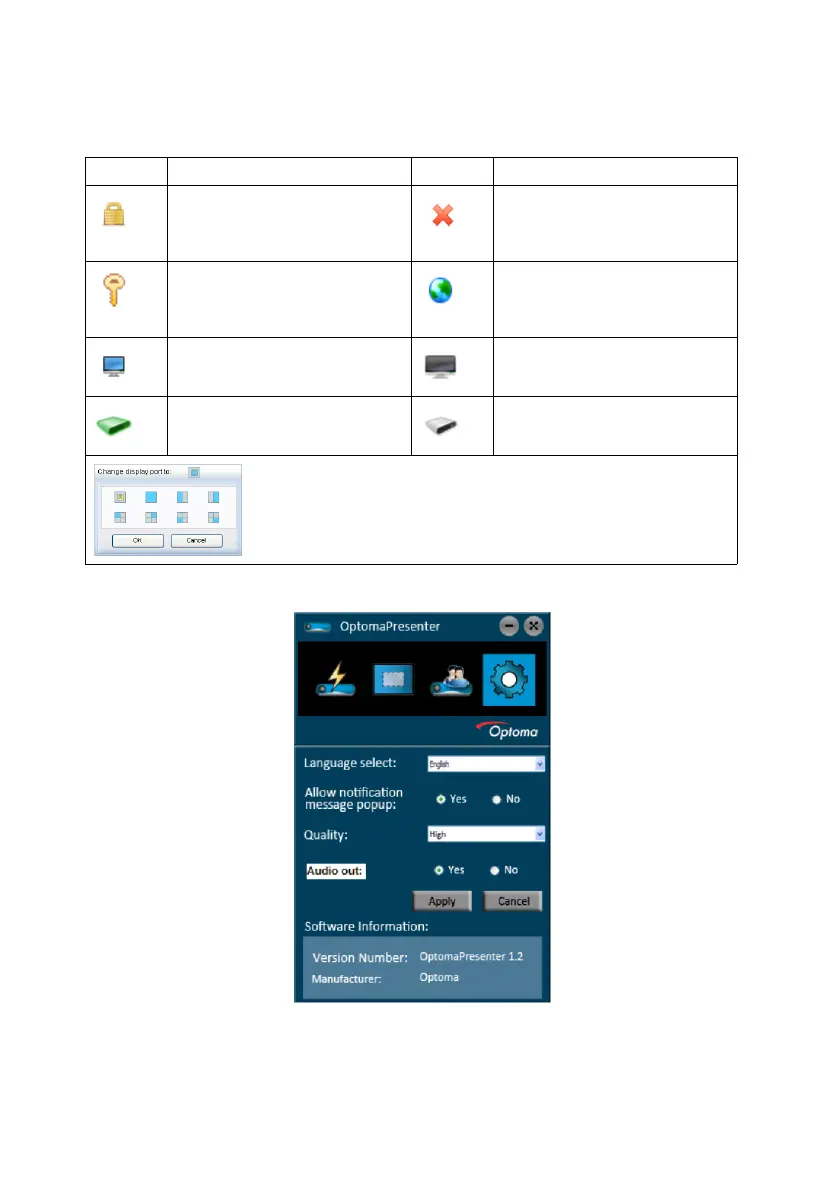
For details about the icons, please see the following:
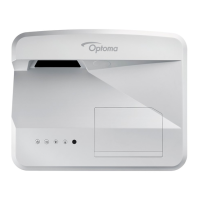
4. The Setting page allows you to configure Optoma Presenter.
i. To change the Optoma Presenter interface language, click the down
arrow to reveal a drop-down list and select a desired language. Click
Apply.
Icon Description Icon Description
You are a normal user and
have no access to change
the password.
Disconnects from the pro-
jector.
You are an administrator
and have authority to
change the password.
Opens the web page of
the Network Control.
You are the user of the
projector.
There is another user of
the projector.
You are an administrator
of the projector.
You are a normal user of
the projector.
Sets a display zone for the projector.



 To Next Page