English
38
USING THE PROJECTOR
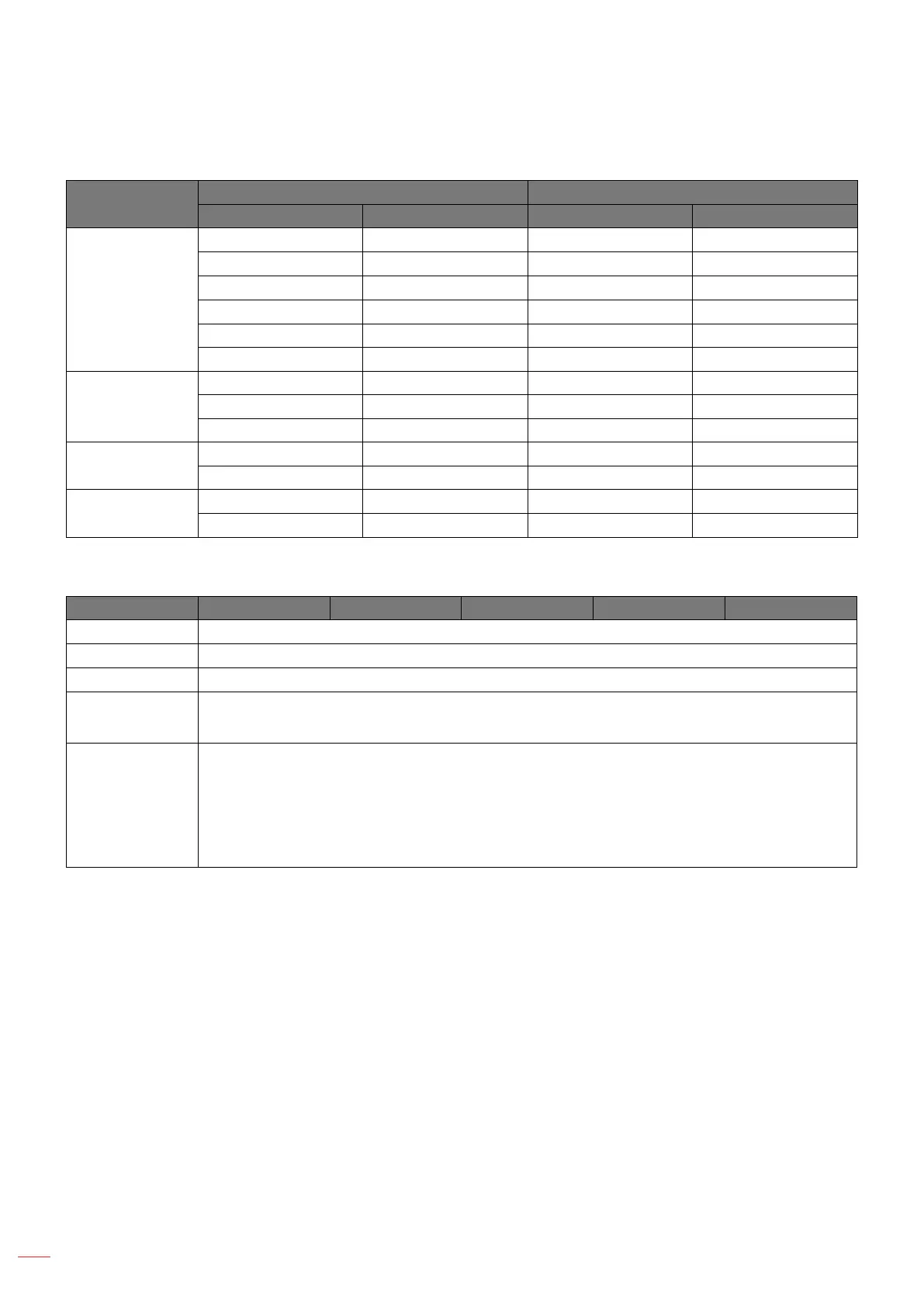
WUXGA auto mapping rule (screen type 16:10):
Auto
Input resolution Auto/Scale
H-resolution V-resolution 1920 1200
4:3
640 480 1600 1200
800 600 1600 1200
1024 768 1600 1200
1280 1024 1600 1200
1400 1050 1600 1200
1600 1200 1600 1200
Wide Laptop
1280 720 1920 1080
1280 768 1920 1152
1280 800 1920 1200
SDTV
720 576 1500 1200
720 480 1800 1200
HDTV
1280 720 1920 1080
1920 1080 1920 1080
WUXGA scaling table (screen type 16:9):
16 : 9 screen 480i/p 576i/p 1080i/p 720p PC
4x3 Scale to 1440x1080.
16x9 Scale to 1920x1080.
LBX Scale to 1920x1440, then get the central 1920x1080 image to display.
Native mode - 1:1 mapping centered.
- No scaling will be made; the image is displayed with the resolution based on input source.
Auto - If this format is selected, the screen type will automatically become 16:9 (1920x1080).
- If source is 4:3, the screen type will be scaled to 1440x1080.
- If source is 16:9, the screen type will be scaled to 1920x1080.
- If source is 16:10, the screen type will be scaled to 1920x1200 and cut 1920x1080 area to
display.


 To Next Page