English
49
USING THE PROJECTOR
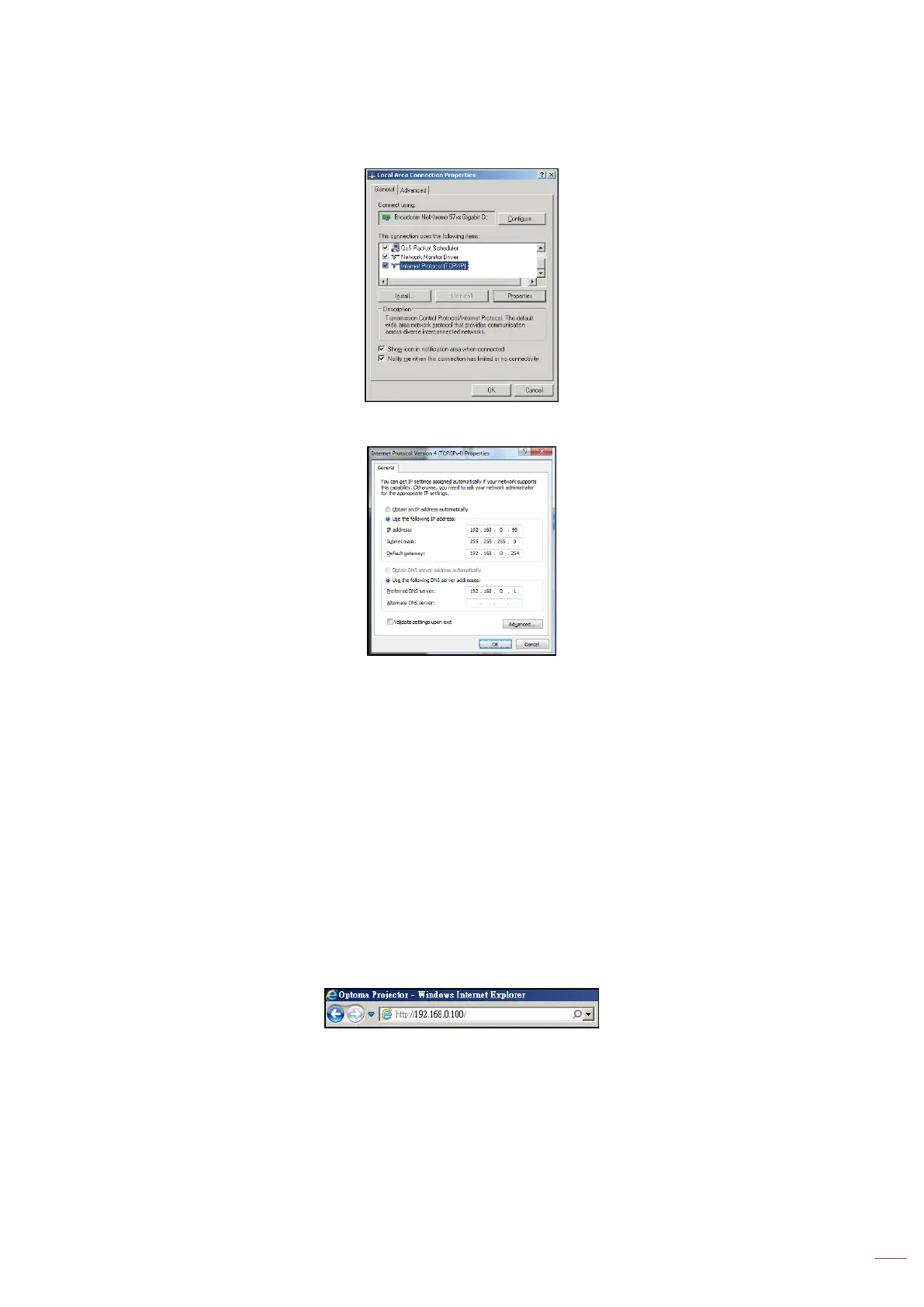
5. Click “Properties”.
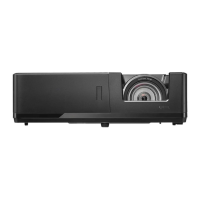
6. Type in the IP address and Subnet mask, then press “OK”.
7. Press the “Menu” button on the projector.
8. Open on projector Network > LAN.
9. Enter the following connection parameters:
± DHCP: Off
± IP Address: 192.168.0.100
± Subnet Mask: 255.255.255.0
± Gateway: 192.168.0.254
± DNS: 192.168.0.51
10. Press “Enter” to conrm settings.
11. Open a web browser, for example Microsoft Internet Explorer with Adobe Flash Player 9.0 or higher
installed.
12. In the Address bar, input the projector’s IP address: 192.168.0.100.
13. Press “Enter”.
The projector is setup for remote management. The LAN / RJ45 function displays as follows:


 To Next Page