Need help?
Do you have a question about the Opvimus MAV Series and is the answer not in the manual?
Identifies wire colours (Green/Yellow, Blue, Brown) for Earth, Neutral, and Live connections.
Covers essential warnings for safe operation, installation, and maintenance, including electrical safety and environmental considerations.
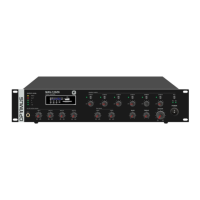
Details front panel indicators (Level, PROT, CLIP, AC, DC) and controls (Music Source, Volume, Bass, Treble, Master).
Covers MIC1 input with VOX, other input level controls, and speaker zone selectors/attenuators.
Used to turn the unit ON or OFF.
Details AC power socket, 24 Vdc battery input, and six 100 V line speaker outputs.
Covers MIC/LINE XLR inputs, LINE RCA inputs, EMC input, and PAGING MIC input.
Details Audio OUT, Fuse Holder, FM Antenna input, and Mute Level Control.
Describes the PMV-6Z as a remote paging microphone for 6 zones, with communication distance and connectivity.
Details the front panel controls and indicators of the PMV-6Z microphone.
Details the rear panel connectors and settings of the PMV-6Z microphone.
Details connecting the unit to AC mains, emphasizing voltage matching and grounding.
Describes the 6 audio inputs (MIC/LINE, LINE, EMC) with connector types and levels.
Describes the audio line output with RCA connectors for system audio.
Explains the four priority levels (EMC, PMV-6Z, MIC1, MIC2-6) for audio sources.
Instructions for connecting speakers in parallel to the 100 V line outputs, respecting power limits.
Explains the function of the ground link switch for noise reduction.
How to adjust the volume of the music source using specific buttons.
Instructions for playing music from USB drives and SD cards.
How to switch to FM mode, scan stations, and select programs.
Steps for connecting and synchronizing a device via Bluetooth.
Outlines conditions, exclusions, and responsibilities related to the product guarantee.
Specifies that the guarantee is non-transferable and outlines third-party authorization.
Addresses limitations on indemnity for damages and OPTIMUS S.A.'s responsibility.
Clarifies the guarantee's relation to vendor rights, national law, and safety regulations.

 To Next Page
 General