Need help?
Do you have a question about the Opvimus NOVA-500 and is the answer not in the manual?
Key safety guidelines for operating the equipment.
Steps to download and install the NOVA Manager software.
Instructions for connecting the software to the NOVA-500 unit.
Overview of setting system parameters like zones, microphones, and volumes.
Controls the chime volume of the system for NOVA-500/12RM.
Setup menu for NOVA-500 main parameters.
Setup menu for NOVA-500S main parameters.
Defines the number of battery chargers in the system.
Defines microphone types, quantity, and configuration.
Defines contact inputs for EVAC, ALERT, and BGM messages.
Used to create and manage groups of zones for system operation.
Imports system configuration from a file.
Exports system configuration to a file.
Sets network parameters and general server settings.
Establishes different user profiles and permissions.
Views system logs, including user operations and equipment events.
Process for transferring audio files to the NOVA-500.
Setting up and calibrating speaker line surveillance via software.
Monitoring the system's operational status.
Displays NOVA-500 connection status and device health.
Selects groups of zones to play/mute audio.
Indicates system operation mode (Emergency/Fault).
Shows if Evacuation or Alert message is being broadcasted.
Used to play prerecorded messages and enable line inputs.
Selects all zones or mutes previous zones.
Controls broadcasts and stops messages via the State and Control menu.
Instructions for updating the NOVA-500 firmware.
Technical specifications for the NOVA-500 and NOVA-500S models.
Technical specifications for the NOVA-12RM remote microphone.
Details on the NOVA-500 system controller, master unit features.
Details on the NOVA-500S slave unit features.
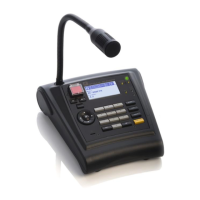
Features of the NOVA-12RM remote microphone.
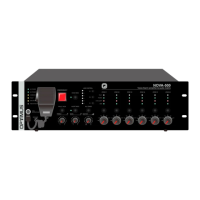
Description of the front panel components and indicators for NOVA-500/500S.
Description of the rear panel connectors and interfaces for NOVA-500/500S.
How to perform emergency broadcasts using the front panel controls.
Performing emergency broadcasts via rear panel trigger inputs.
Steps for manually activating Background Music (BGM) to selected zones.
Configuring automatic BGM activation based on audio detection.
Hardware-based calibration for speaker line surveillance.
Overview of the NOVA-12RM remote paging microphone functions.
Details on buttons, ports, switches, and indicators of the NOVA-12RM.
How to perform a general live broadcast using PTT on NOVA-12RM.
How to perform a general live broadcast using LOCK mode on NOVA-12RM.
Steps to activate background music (BGM) events using NOVA-12RM.
Illustrative diagram of how to connect NOVA system components.
Information on AC and DC power supply requirements for NOVA units.
Details on connecting system units using CAT5 cables for bus communication.
Connecting audio sources to the INPUT 1-6 on the rear panel.
Connecting trigger inputs for activating messages and functions.
Connecting relay contact outputs for contact input activations.
Connecting 24 Vdc outputs for attenuator control to speakers.
Explains the function of DIP switches on the rear panel for configuration.
Information about the memory card for storing messages, configurations, and logs.
 General
| Brand | Opvimus |
|---|---|
| Model | NOVA-500 |
| Category | Microphone |
| Language | English |

 To Next Page