10
MY PHONE
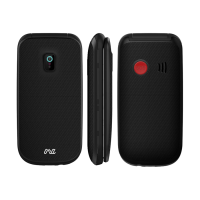
1. Receiver
2. Screen
3. Arrow button (up): Shorcut to text message in standby mode
4. Left menu key / main menu
5. Green call button / call list: Call in standby mode/ OK button
6. Arrow button (down): Call the Speed
Dial contacts in standby mode
7. Direct dial button M1 / Move to the left
8. #1 key /Voice mail (press and hold 2 sec)
9. * Button: Press this key in standby mode to enter the following
characters: * /+ /P / W.


 To Next Page
 Loading...