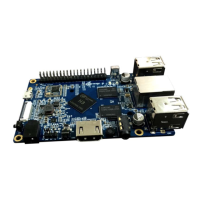
Orange Pi 2 User Manual Shenzhen Xunlong Software CO., Limited
www.orangepi.org www.xunlong.tv
Step 1: Get what you need
To enjoy the use of your Orange Pi 2, you will need at least the accessories in the table
below.
No. Item Minimum recommended specification & notes
1
TF card
• Minimum size 4Gb; class 4 (the class indicates how fast the card is).
• We recommend using branded TF cards as they are more reliable.
2a
HDMI(Full
sized) to HDMI
/ DVI lead
• HDMI to HDMI lead (for HD TVs and monitors with HDMI input).
OR
HDMI to DVI lead (for monitors with DVI input).
2b
AV video lead
• A standard AV video lead to connect to your analogue display if
you are not using the HDMI output.
3 Keyboard and
mouse
• Any standard USB keyboard and mouse should work.
• Keyboards or mice that take a lot of power from the USB ports, however,
may need a powered USB hub. This may include some wireless devices.
4
Ethernet
cable/USB
WiFi(Optional)
• Networking is optional, although it makes updating and getting new
software for your Orange Pi 2 much easier.
5
DC power
adapter
• A good quality, DC power supply that can provide at least
2.0A at 5V is essential. While the USB OTG input cann’t be used.
6
Audio lead
(Optional)
• You can choose a 3.5mm jack audio led to connect to
audio port to get stereo audio.


 To Next Page
 Loading...