Orange Pi 2 User Manual Shenzhen Xunlong Software CO., Limited
www.orangepi.org www.xunlong.tv
iv. Check the TF card you inserted matches the one selected by
the tool.
v. Click the “Format” button.
3. Download the OS image from the Downloads webpage.
i. Website:http://www.orangepi.org/downloaded/download.html
4. Unzip the download file to get the OS image (exclude android os
image, android os image need other burn mode.).
i. Right click on the file and choose “Extract all”.
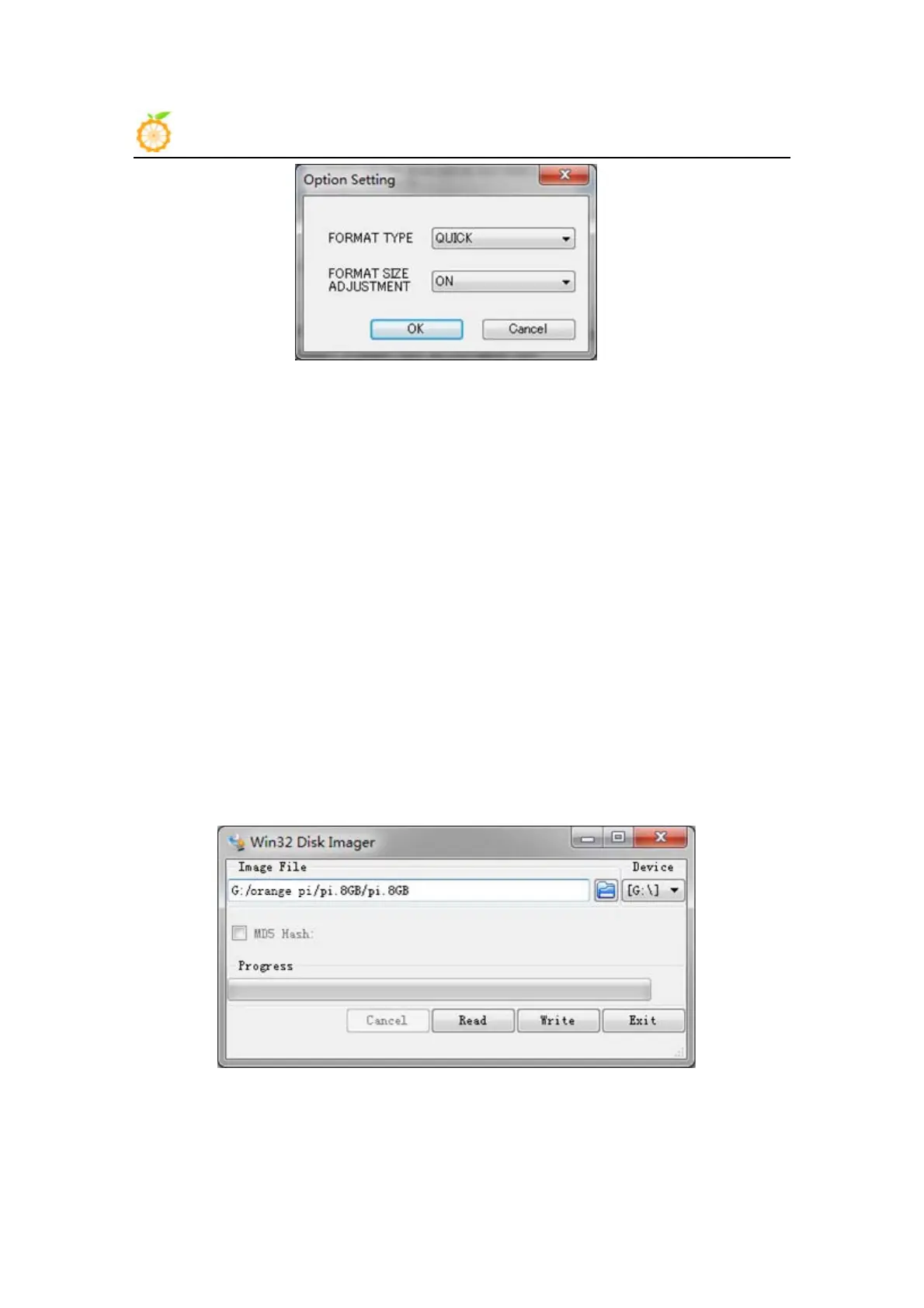
5. Write the image file to the TF card.
i. Download a tool that can wirte image to TF card, such as Win32
Diskimager from:
http://sourceforge.net/projects/win32diskimager/files/Archive/
ii. Open the unzipped image file.
iii. Click “Write” button. Wait patiently to successfully complete


 To Next Page
 Loading...