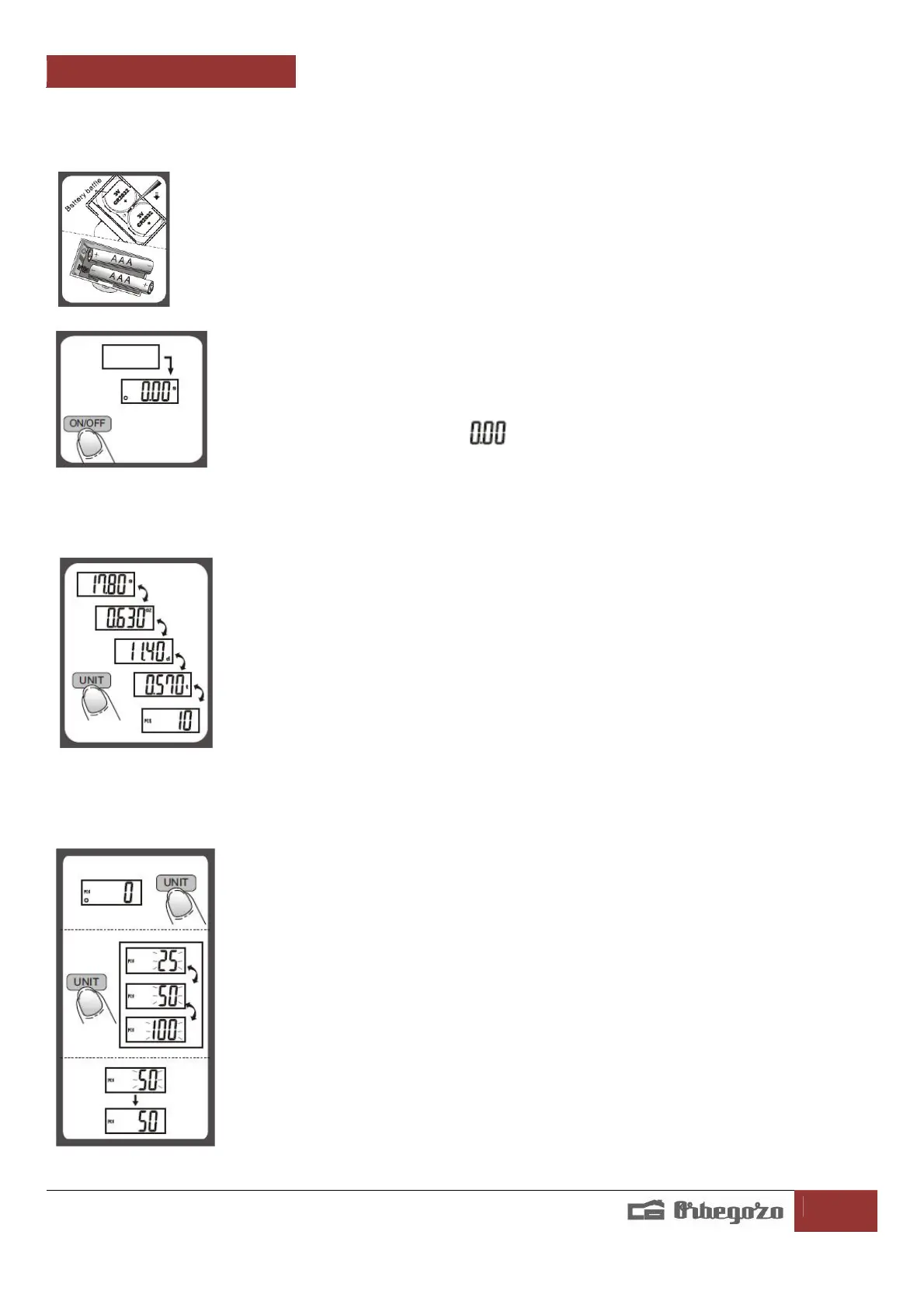
To Replace Battery
1. Open the battery compartment located on the bottom of the scale.
2. Take out the used battery (with the aid of a sharp object if needed).
3. Install new battery to the compartment. Ensure to
observe the polarity.
To Operate
1. Place the scale on a flat and solid surface. Avoid carpet or
soft surface.
2. Press and release ON/OFF button to switch on the unit.
3. Wait until display prompts to before starting weighing.
4. Always place the weighing object in the center of the platform.
To Convert Weight Unit
You can press UNIT button to convert weight unit between gram, ounce, dwt , ozt
and to pre-set piece counting mode.
To conduct piece counting mode
1. Press UNIT to select piece counting mode 'PCS' when the scale is vacant( Scale is
programmed to allow calibrating weights of 3 different pre-set quantities being 25
pcs, 50 pcs or 100 pcs ).
2. Press UNIT for 3 seconds to select pre-set quantity value either 25, 50 or 100.
Consecutive pressing the UNIT will rotate around 25, 50, 100. Once selected the pre-
set quantity, let's say 50, LCD will show 50, then place same quantity (50 pcs) of the
object on the weighing platform, wait for LCD to flash '50' a few times. Scale now
recognizes weight of 50 pcs object, also calculates & memorises the average single
unit weight value.
3. Next time weighing same object of different quantity. Turn on the scale, place X
quantity of the object onto weighing platform. LCD will show the weight as normal,
then press 'UNIT' to piece counting mode 'PCS', LCD will display the quantity placed
on the platform.


 To Next Page