English
- 47 -
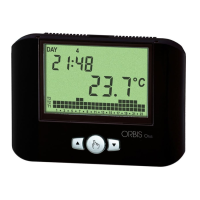
ORUS RF Programmable Thermostat User Manual
Setting a timing
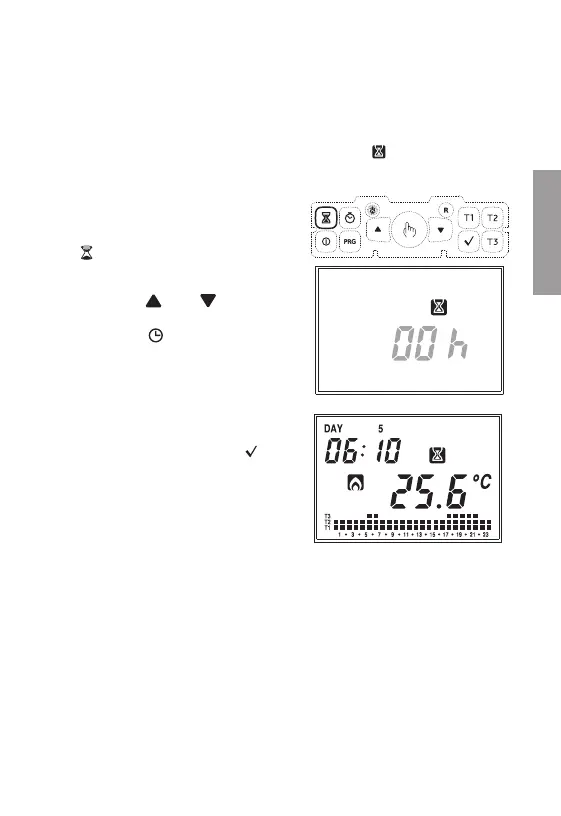
To activate timing it is necessary to press
the
“ ” key
The writing “00h”
will flash, indicating the
timing. With the
“ ”
and
“ ”
keys it is
possible to choose a value between 0 and
99. Pressing the “
” key will allow to
choose the measurement unit between hours
and days.
Timed deactivation
If in off status you set a timing, such off status will be maintained until the end of
the timing; operation will then switch to the one active before deactivation. If, during
timing, the system is activated, the timing ends.
In all cases, the timing condition is signalled by the symbol “
”
.
Each change in measurement unit implies a
resetting of the set timing value.
Once the value has been set, press
“ ”
to
confirm or wait 45 seconds.
Note. In case time is modified during timing, it will not be updated.
Note. In the hour count, the hour in which programming is carried out is
included. In the same way, if the measurement unit is in days, the count
also includes the current one. Timing in hours terminate on the hour,
the ones in days at midnight.


 To Next Page