EasyManua.ls Logo

Orbit Signature ST2-RF - User Manual

Orbit Signature ST2-RF
20 pages
Print Icon
To Next Page IconTo Next Page
Loading...
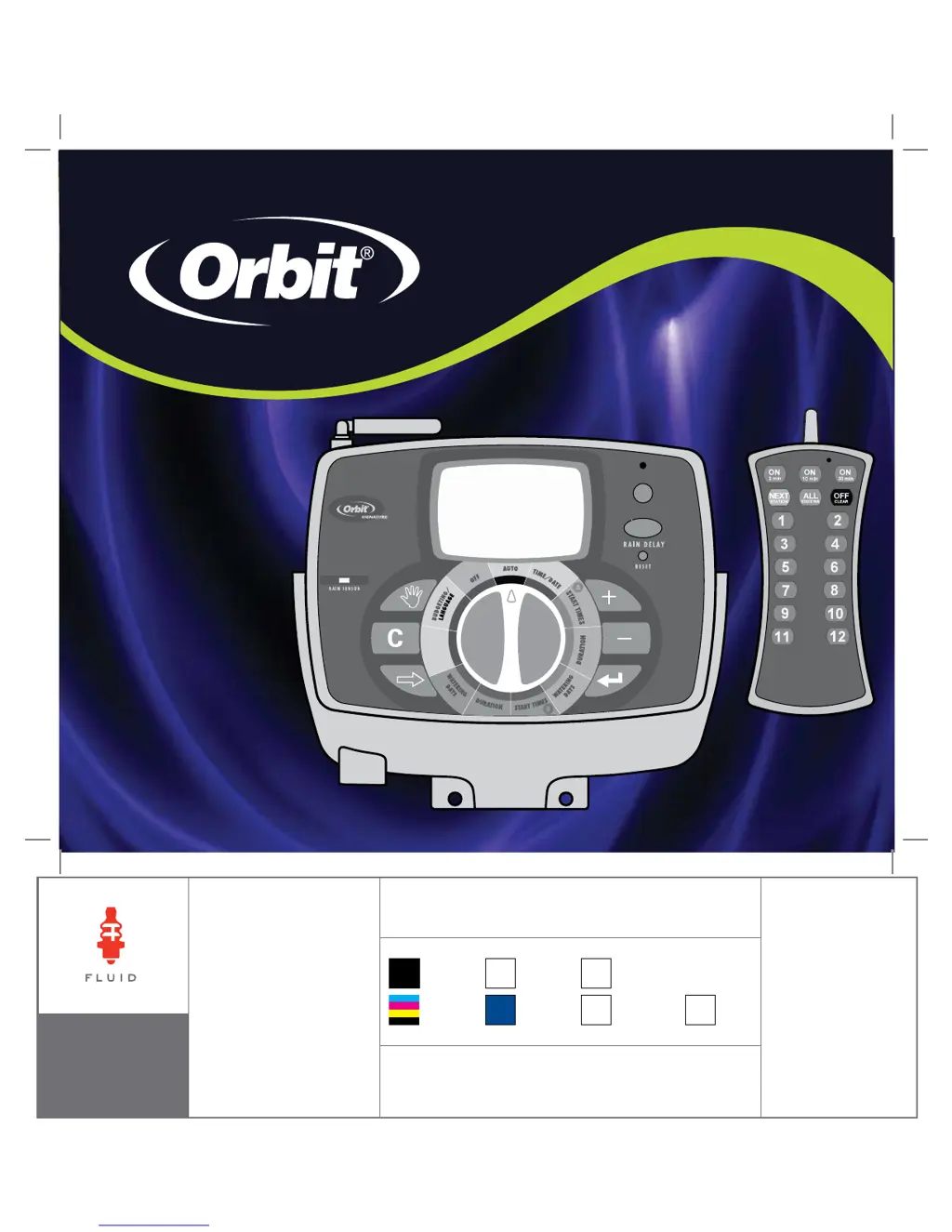
signature
ST2-RF
SPRINKLER
TIMER
MANUAL
RF SYNC
ACTIVE BYPASS
N
O
W
A
T
E
R
I
N
G
D
A
Y
/
P
E
R
I
O
D
PN 94926-24ES Rev D
MODELS:
94916, 94912, 94926, 94922
p 801 295 9820
f 801 951 5815
www.fluid-studio.net
1065 South 500 West
Bountiful, Utah 84010
proof no: 1
date:
01.09.09
des: SM spck: XX
job no:
client:
Orbit
sku: 94926
upc: NA
file name: 94926-24ES
rD.indd
software: InDesign CS3
colors
additional instructions:
· Font sizes cannot be smaller than 7 pt.
·
·
color
non printing
PMS
280
PMS
????
color
non printing
PMS
????
Registration
CMYK
Printers are responsible for
meeting print production
requirements. Any changes
must be approved by the
client and Fluid Studio.
printed piece must meet
designated specifications
on this form.
dimensions:
flat: w: 13.76" h: 5.7"
finished: w 6.88" d: 0" h 5.7"
© 2007 Fluid Studio. This
work is the property of Fluid
Studio, and cannot be used,
reproduced or distributed
in any way without their
express permission.

Questions and Answers

  • J
    James HamptonAug 2, 2025
    What to do if all stations do not turn on with my Orbit Signature ST2-RF?
    • M
      martinezjoshuaAug 2, 2025
      If all stations fail to turn on, there might be a few reasons: * The transformer might be defective or not properly connected. Check the connections and the outlet. If there's still no A/C power, replace the transformer. * The programming could be incorrect. Verify the Start Time and Watering Days settings. * The timer might be in OFF mode. Ensure the dial is turned to AUTO.
  • P
    Phillip MorrisAug 7, 2025
    Why are one or more stations not turning on with my Orbit Signature ST2-RF Timer?
    • S
      stevenslorettaAug 7, 2025
      If one or more stations aren't turning on, consider these potential causes: * A faulty solenoid may be the issue. If so, replace the solenoid. * There might be a broken or disconnected wire. Repair the wire and check all connections. * The flow control stem could be screwed down, shutting the valve off. Turn the flow control stem counter-clockwise to achieve the desired flow. * The programming might be incorrect. Ensure the station in question is set to water with a program.
  • L
    Lee JohnsonAug 14, 2025
    How to stop my Orbit Signature ST2-RF stations turning on at the wrong time?
    • Z
      zacharytaylorAug 14, 2025
      If stations are turning on when they shouldn't, it could be due to: * High water pressure. Consider installing a pressure reducer. * Multiple start times programmed. Reduce the number of start times for that program. * Stations set to water with both programs. Set the station duration to 0 for the program you don't want it watering with.
  • M
    Matthew GardnerAug 19, 2025
    What to do if my Orbit Signature ST2-RF will not power up?
    • S
      sparksAug 19, 2025
      If your timer isn't powering up, check the following: * The transformer might be defective or not correctly connected. Check the connections and outlet. If there is no A/C power, replace the transformer. * Ensure the timer is fully seated on the docking port. Push down on the timer until the backlight turns on.
  • J
    James BenitezAug 27, 2025
    What to do if one station is stuck on and will not shut off with my Orbit Signature ST2-RF?
    • H
      Heather WolfAug 27, 2025
      If a station is stuck on and won't shut off, the following could be the cause: * A faulty valve. Check that the valve is not installed backwards. * Particles of dirt or debris stuck in the valve. Remove any dirt or debris from the valve. * A faulty valve diaphragm. Replace the diaphragm.

Summary

Getting Started

Initial Setup Steps

Includes activating batteries, resetting timer, setting language, time, date, and planning.

Programming Your Timer

Set Start Times

Set up to six different start times for Program A or Program B.

Set Station Watering Durations

Assign watering duration (0-120 minutes) for each station in a program.

Set Watering Days

Choose watering days via days of week, odd/even, or interval.

Operational Modes

Using the Remote Control Device

Remote Control Device Operation

Covers installing batteries, synchronizing, and basic operations.

Watering with Remote

Instructions for watering all stations, one station, or multiple specific stations.

Installation Guide

Installing the Sprinkler Timer

Step-by-step guide for selecting location, mounting docking port, and connecting.

Connecting Transformer

Instructions for connecting the transformer to the docking port.

Connect Valve Wires

Guide for wiring electric valves, pump start, and master valve sockets.

Diagnostics and Troubleshooting

Trouble Shooting

Common Symptoms and Corrections

Addresses issues like stations not turning on, stuck on, or timer not powering up.

Orbit Signature ST2-RF Specifications

General IconGeneral
BrandOrbit Signature
ModelST2-RF
CategoryTimer
LanguageEnglish