Notice: Do not turn on before assembly is done.
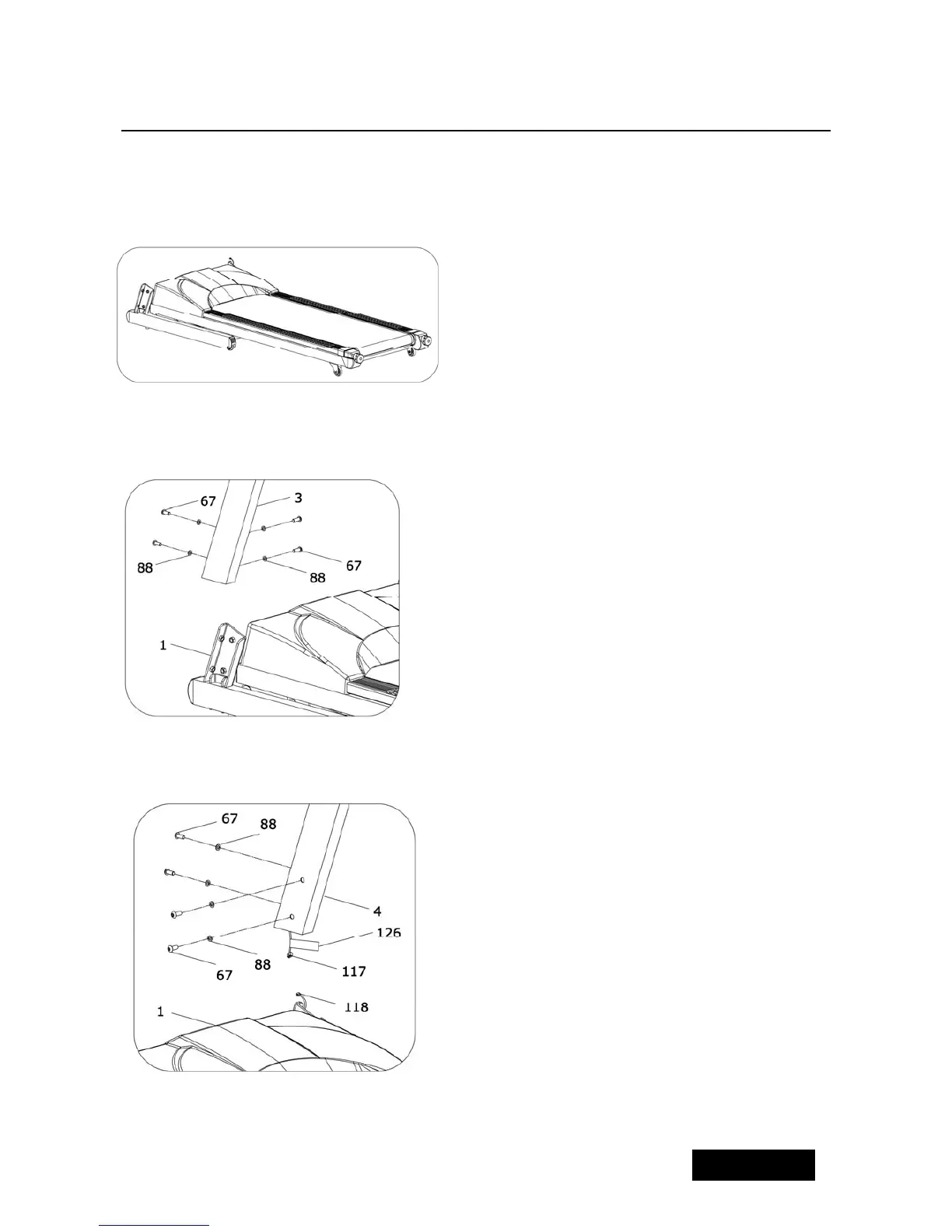
ASSEMBLY STEP 1:
4
Open the carton,get out the above spare
parts , put the MAIN FRAME on the
ground.
ASSEMBLY STEP 2:
Use the 6# allen wrench, drill through the
bolt (67) to Lock washer(88), then lock
the Left upright (3) onto MAIN FRAME (1)
ASSEMBLY STEP 3:
1、 Connect the computer middle
wire(117) under the right
upright tube with computer
lower wire(118) on the main
frame. Then insert the right
upright (4) into main frame(1)
Warning: Please note not to
damage the wires.The connect
method is shown on lable(126)
2 、 Use 6# wrench, M10*20
screw(67) and flat head bolt to fix the
Right upright to Main Frame(1)



 To Next Page