1.Program
A+B-C
C+B-A
Press "Enter" buttom
Forward/Brake
Forward/Rev
For/Brake/Rev
.......Middle3.2V
..........High3.4V
Disabled
1-5
1000
4000
8000
12000
16000
24000
Off
5%
10%
20%
50%
100%
off
20%
40%
60%
80%
100%
1- 5
1000
2000
4000
25%
50%
75%
100%
3%
6%
9%
12%
15%
Lipolymer Low2.9V
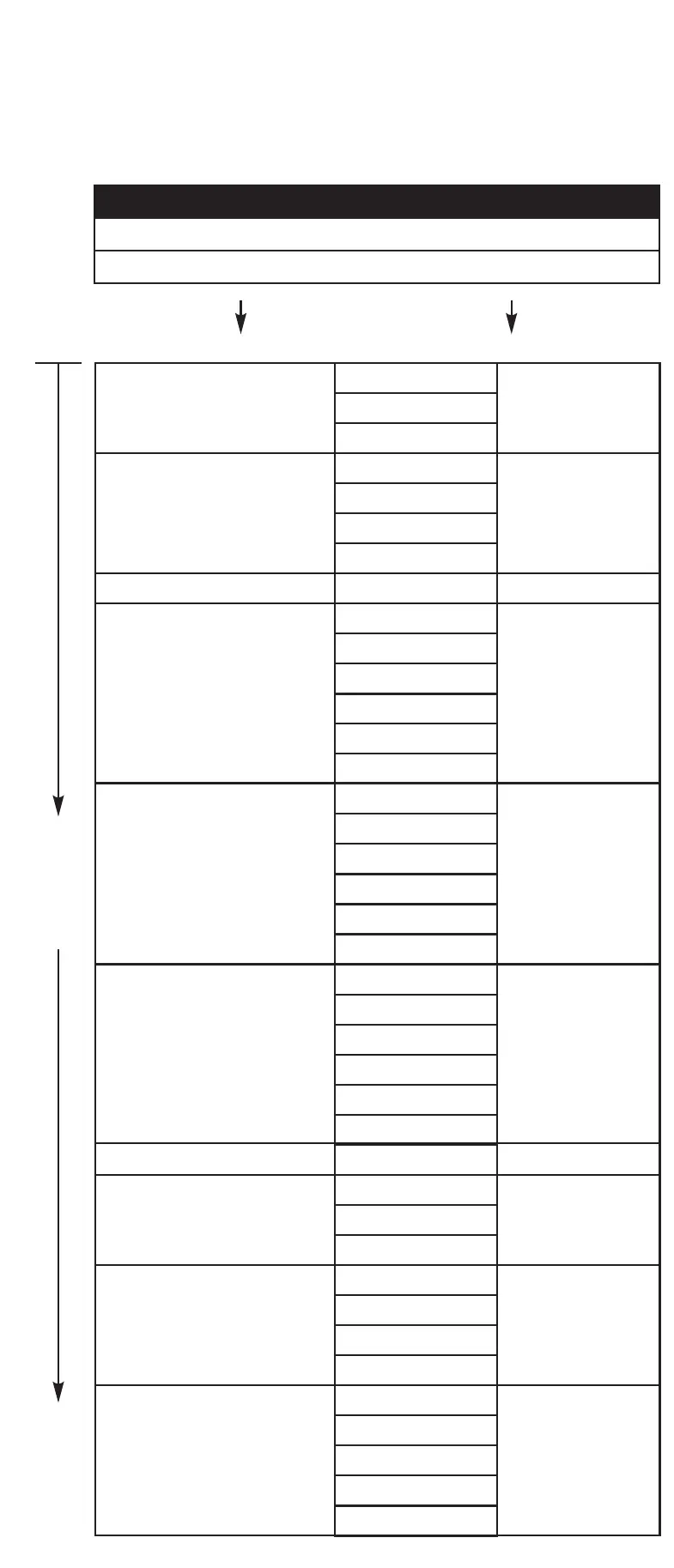
1.Running Mode
2.BatteryCutOff
3.Punch
4.PWM
5.Drag Brake
6.MaxBrakeForce
7.Brake Punch
8.Brake PWM
9. Reverse Force
10.Netral Range
Forward/Brake
Press "Select" buttom to next funtion
Middle
5
8000
Off
100%
5
1000
50%
6%
Setting by
Program Card
Setting by
ESC set Button
LiPolymer Low LiPolymer Middle LiPolymer High Disabled
Level1 Level2 Level3 Level4 Level5
1K 4K 12K 16K 24K8K
OFF 5% 10% 20% 50% 100%
OFF 20% 40% 60% 80% 100%
Level1 Level2 Level3 Level4 Level5
400Hz 600Hz 800Hz 2K 4K1K
25% 75% 100%50%
3% 9% 12% 15%6%
Forward/Brake Forward/Rev Forward/brake/Rev
Blue light Blue light Blue light Blue light Blue light Blue light
Flash one time Flash two time Flash three time Flash four time Flash five time Flash six time
Red light flash
one time
Red light flash
two time
Red light flash
three time
Red light flash
four time
Red light flash
five time
Red light flash
Six time
Red light flash
Seven time
Red light flash
Eight time
Red light flash
Nine time
Red light flash
Ten time
1.RunningMode
2.Battery CutoffVoltage
3.Punch
4.PWM
5.DragBrake
6.Max.BrakeForce
7.Brake Punch
8.Brake PWM
9.Max.ReverseForce
10.NeutralRange
Participate
Functions
Detailed Explanation of each
Function items:
1) Running Mode
Froward/Brake-------This function the car will not have reverse
function, Just froward and brake.
Forward/Rev--------- This function the car will reverse
immedately when the throttle brake
the car.
Froward/Brk/Rev--- Set this function the first touch of throttle
brake the car will have brake function,
and if you release tocentre position after
brake and contiue brake again the reverse
function will appear .
2) Battery Cut off Voltage
Lipolymer Low----------Lipo cut off at 2.9V/cell
Lipolymer Middle ------Lipo cut off at 3.2V/cell
Lipolymer High---------Lipo cut off at 3.4V/cell
3) Punch
Allows you to change the punch of the ESC (Level 1 to Level 5):
* Level 1 has the least punch and Level 5 has the highest punch.
* Adjust punch level to maximize acceleration speed with
minimum wheel spin.
4)PWM(Driver Freq)
Allows you to change the forward drive frequency of the ESC
(1K to 24K From six step)
* The 1K setup will give you good punch at the low end.
* The 24K setup will result in strong mid to top end.
* Experiment to find out what suits your driving style best.
5) Drag Brake
Set the automatic brake force applied when the throttle
returns to neutral position (6 steps from Off to 100%):
* 50% and 100% Drag Brake recomment used in Crawl only.
6) Max Brake Force
Control the Maximum Brake power when you full braking
7) Brake Punch
When you set Punch 5, the brake time will follow your throttle
brake simple and direct, if you used Punch 1-4 the brake
feeling have something ABS, get more smooth.
8) Brake PWM(Brake Freq)
Brake PWM operates similar to PWM except it affects the
braking instead of the throttle (6 steps from 400hz to 4khz)
* At 400 Hz, the Drag brake and the Brake force will feel the
punchiest.
* At 4k Hz, the Drag brake and the Brake will feel smooth.
9) Max Reverse Force
Control the Maximum Reverse power when you Reverse
the car.
10)Neutral Range
Set the sensitive relay to your throttle feeling, normally set
in 6%.
How to used the button to setup the ESC without program card:
(Transmitter must be turn on during setup the esc without program card.)
1.Connect the power wires of the ESC to a fully charged battery set; making sure the polarity is correct.
2.Used the 1.5mm screw to press the set hole button before switch on the esc, switch on esc and then hold
the button contiue about 2 second to wait the LED light off and hear the motor long beep sound appear.
3.Set hole button only to let you choice the function mode, red LED will flash one time to eleven time represent
which function you want to set.
4.Transimitter will let you change the participate of each function,
full throttle once time will increase one participate
full brake once time will decrease one participate e.g. (the blue LED will flash one time from two time).
5.When you finish setup you can switch off the esc directly, it can save automatically.
e.g. (the blue LED will flash two time from one time).
All esc setup back to factory out:
Used the 1.5mm screw to press the set hole button before switch on the esc, switch on the esc and then
hold the button contiue about 2 second to wait the LED light off and hear the motor long beep sound
and then keep continue press the set button until the green led light fast flash, release the set button
and switch off the esc. (Make sure press the set button continue untill the green LED light fast flash,
otherwise please repeat the setp again.)


 To Next Page
 Loading...