1
Chapter 1Chapter 1
Set-up and Installation
Leads
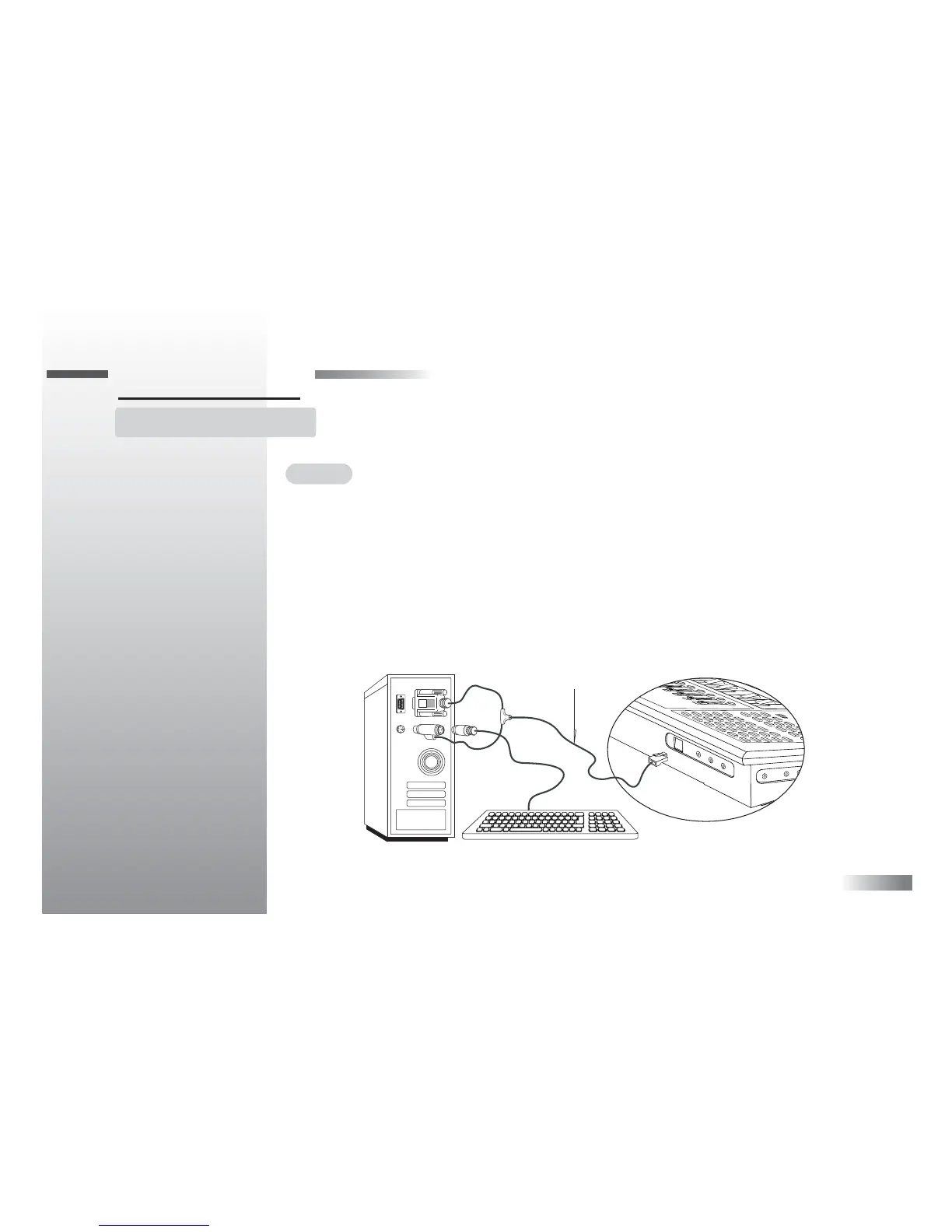
Connect the Wav DJ console to the PC with the leads provided before you start up the
computer. There are two sets of leads that need to be connected to the PC before you
turn the power on.
Lead A is the power and communication lead. Lead B is the audio connection lead.
Lead A connects to the rear of the Wav DJ console at the opening with the sliding door.
Lift up the door and insert the modular jack with the release tab facing upwards as shown.
Lead A



 To Next Page