EasyManua.ls Logo

Oregon Scientific JM889N - User Manual

Oregon Scientific JM889N
106 pages
Print Icon
To Next Page IconTo Next Page
Loading...
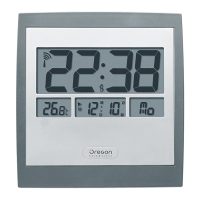
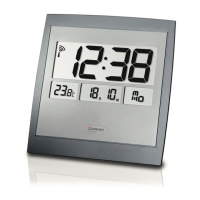
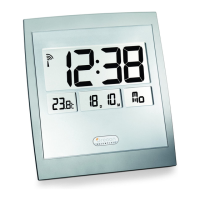
Jumbo RF Clock
with Indoor Thermometer
Model: JM889N / JM889NU
User Manual
JM889N English Cover R2 8/17/04, 3:28 PM1

Table of Contents

Questions and Answers

  • T
    tatemonicaJul 31, 2025
    Why is my Oregon Scientific Clock time not correctly set?
    • C
      Christopher RamirezJul 31, 2025
      If your Oregon Scientific Clock isn't displaying the correct time, it might be due to interference or poor signal reception. Try moving the clock away from computers, phones, and other electronic devices that could be causing interference.
  • J
    James HardyAug 7, 2025
    Why is the radio antenna not displayed on the LCD screen of my Oregon Scientific Clock?
    • M
      Mr. Terry CombsAug 7, 2025
      If the radio antenna isn't showing on your Oregon Scientific Clock's LCD screen, obstacles might be blocking the signal. Move the unit away from electronic devices to avoid interference.
  • D
    Daniel RogersAug 14, 2025
    What to do if the operation of my Oregon Scientific Clock is not normal?
    • M
      Mrs. Carol Mullins MDAug 14, 2025
      If your Oregon Scientific Clock is not operating normally, it may need to be reset. Use a blunt stylus to press the RESET Hole.
  • J
    Jill MooreAug 22, 2025
    What to do if the batteries of my Oregon Scientific JM889N are low?
    • T
      Tiffany DuffyAug 22, 2025
      If the batteries of your Oregon Scientific Clock are low, install new batteries into the unit and check the LCD Display of the unit.

Summary

KEY FEATURES

SAFETY AND CARE INSTRUCTIONS

Safety Precautions

Important safety precautions for setting up and using the product.

GETTING STARTED

Batteries

Instructions for installing and replacing batteries, including warnings.

RADIO RECEPTION

Enabling;Disabling Radio Reception

Manual steps to enable or disable the RF signal reception.

TO SET THE CLOCK MANUALLY

ALARM FUNCTIONS

Adjusting the Alarm Time

Detailed steps for setting the hour and minute of the alarm.

RESET HOLE

TROUBLESHOOTING GUIDE

SPECIFICATIONS

WARNINGS

Oregon Scientific JM889N Specifications

General IconGeneral
DisplayLCD
Time Format12/24 Hour
AlarmYes
Snooze FunctionYes
Temperature DisplayYes
ProjectionYes
Dual AlarmYes
Battery BackupYes
FeaturesIndoor Temperature, Projection
TypeProjection Alarm Clock
Power SourceAC power with battery backup

Related product manuals