EasyManua.ls Logo

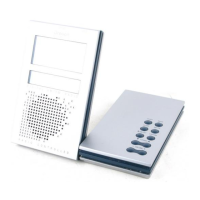
Oregon Scientific Starck PSS03A - User Manual

Oregon Scientific Starck PSS03A
18 pages
Print Icon
To Next Page IconTo Next Page
Loading...
EN
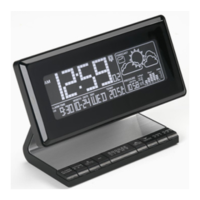
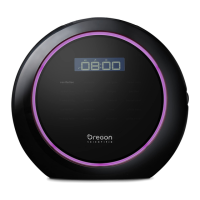
Radio Controlled Clock with Barometer and
AM/FM Radio (Model #: PS-S03/PS-S03U)
User Manual

Questions and Answers

  • J
    John TaylorJul 31, 2025
    What to do if my Oregon Scientific Clock Radio cannot auto-synchronize?
    • K
      Kathryn WrightJul 31, 2025
      If your Oregon Scientific Clock Radio cannot auto-synchronize, try the following steps: 1. Remove the batteries. 2. Press the RESET button; this will return all memory items to their default settings. 3. Replace the batteries. 4. Place the clock near a window or away from potential interference.
  • J
    joseph54Aug 10, 2025
    How to improve poor reception or static on Oregon Scientific Clock Radio?
    • S
      Shaun AcostaAug 10, 2025
      To improve poor reception or static on your Oregon Scientific Clock Radio, place the clock near a window to enhance signal reception.
  • A
    Alex GreenAug 20, 2025
    What to do if my Oregon Scientific Clock Radio shows a strange date or month?
    • M
      maldonadodanaAug 20, 2025
      If your Oregon Scientific Clock Radio displays a strange date or month, try changing the language setting.

Summary

Product Overview

Top, Battery Compartment, and Side View

Diagram and descriptions of the unit's physical components and their locations.

Getting Started

Batteries

Instructions for inserting and replacing batteries, including polarity and reset button.

AC Power Adapter

Information on using the AC power adapter for the main unit and radio.

Clock

Calendar

Barometer

Weather Forecast

Radio

Tuning

Store Station to Memory

Sleep Timer

Reset System

Safety and Care

Warnings

Guidelines for safe operation, including immersion, shock, temperature, and battery handling.

Troubleshooting

Oregon Scientific Starck PSS03A Specifications

General IconGeneral
BrandOregon Scientific
ModelStarck PSS03A
CategoryClock Radio
DisplayYes
Display TypeLCD
AlarmYes
RadioFM
Snooze FunctionYes
Power SourceAC Adapter

Related product manuals