Operation controls
and functions
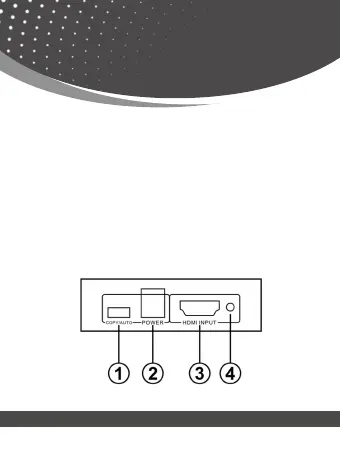
Front Panel
1. EIDI Mode:
Copy Mode: copy output 2 EDID to input port.
Auto Mode: Compare output port 1 and 2 EDID.
2. DC 5V: Plug the USB charging cable into the unit and connect the
adapter to AC wall outlet.
3. HDMI Input: This slot is where you connect the HDMI source output
from DVD, PS3
4. Input LED: This red LED illuminate when the HDMI signal plug in.
page 07


 To Next Page