Operation Controls
and Functions
page 10
No. Name Function Description
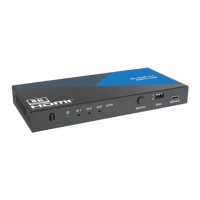
6. AUTO button
Automatic switching button, only available on single screen
display mode.
7. INPUT button Input source switching button, only available on single screen
8.
Multiview
button
Multiview display mode switching button.
▪ Short press this button to circularly select: SINGLE - PIP -
PBP (1) - PBP (2) - Triple (1) - Triple (2) - Quad (1) - Quad (2).
▪ Long press this button for 3 seconds to select the aspect
ratio for PBP (1) / PBP (2) / Triple (1) / Triple (2) / Quad (1) /
Quad (2).
9. RES button
Output resolution switching button.
▪ Short press the RES button to circularly switch the output
resolution of the HDMI OUTPUT port (Please refer to the output
resolution list of “8. Video & Audio”).
▪ Long press the RES button for 3 seconds to switch the output
resolution to 720P60.

 To Next Page
 Loading...