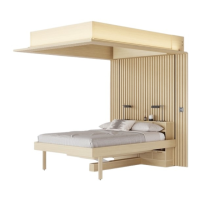
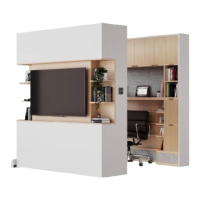
ORI USER MANUAL CLOUD BED, DESK EDITION
B. ADJUSTING COUNTERWEIGHTS WITH BEDDING
The Cloud Bed’s magic relies on a carefully balanced counterweight
system, so if your bedding exceeds 30 lbs, you may experience
inconsistent movement. To correct this problem and allow for smooth
operation, you can remove the Cloud Bed’s extra counterweight. To do
so, lift the corner of the mattress where shown and remove the weight.
In the event that you remove the heavy bedding (for example, swapping
out seasonal blankets in the summer), you may need to replace the
counterweight. Use the guide below to check your requirements.
A. RESETTING THE SYSTEM
The Ori Cloud Bed can be adjusted or reset if necessary (for example,
after a power outage). Please visit the Ori Service Portal for guidance.
C. MOVEMENT IN A POWER OUTAGE
If the power ever goes out, fear not. The bed will NOT fall. You can gently
and safely raise or lower your Cloud Bed manually. It may be helpful to
grab the bed legs or bed frame when lowering the bed.
If you ever need to move your system manually for a different reason,
just make sure to unplug it first. Doing so disengages the motor and
enables manual movement.
SCENARIOS
Bedding weight 0–30 lbs
Keep bed counterweight
Bedding weight 30–45 lbs
Remove bed counterweight
Bedding weight 45+ lbs
Some bedding will need to be
stored elsewhere, or contact
Ori Support for help


 To Next Page
 Loading...