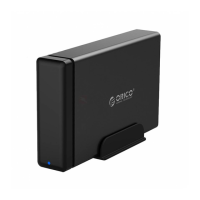
Thank you for choosing ORICO products!
The product can be flexibly connected to the computer with a TYPE-C interface, and
supports offline clone function compatible for a 2.5 / 3.5inch SATA disk, enclosed with
12V/6.5A power adapter,it is the best choice for data storage.
The hard drive dock has two modes——PC/CLONE, which can be operate cloning
process without computer needed.Please read this specification carefully before using it.
Operation Steps In PC Mode
1) Insert SSD/HDD into the SATA dock vertically (Pls ensure the drives are fully
inserted);
2) Separately connect the power adapter and USB data cable to the power socket and
your host device;
3) Press the power switch on the back(the LED indicator lights on means the device is
connected);
4) Open " my computer" to find the disk and proceed——LED flashing=In working; Long
beeping=something abnormal
5) Work done, please eject the hard drive safely and turn off the power.
Attention:
①To be recognized in " my computer", your hard drive must partition first; If not, please
initialize your hard drives and created;
②All hard drive docking stations do not support hot-swapping.If you need to replace or
add a new one to another slot, please safely eject all the hard drives before proceeding
with the operation;
③To avoid data loss, please do not power off or remove the hard drive midway through
the working process.
④In the Linux system, only one of the hard drives can be read at a time.
⑤In the Mac OS system, if the device is not filled with 4 hard drives, the formatting speed
may be slower than usual. This is a normal phenomenon, please be patient.
⑥This product is equipped with an automatic sleep function for 5min(no software is
running in the background); Click the "drive letter" to wake it up.
If you feel that the sleep mode is disrupting your normal work, please contact us for
assistance in resolving the issue.

 Need help?
 General

 To Next Page