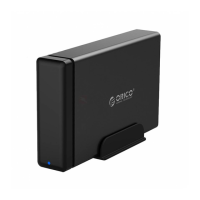
Operation Steps In CLONE Mode
1) Insert SSD/HDD into the SATA dock vertically (The target disk capacity must be
greater than the source disk capacity);
2) Connect the power adapter and Set the mode switch to 'CLONE';
3) Press the power switch and wait for the 3 disk position indicator lights to come on
(Please double-check the slot identification to ensure that the source and target disks
are not misplaced. Misplacement may cause loss of data on the source disk).
4) Press the 'START' button for 3-5 seconds, then the HDD-2 LED light will turn off.
Press 'START' again within 5 seconds.
5) The indicator lights will stay on in sequence during the cloning process
6) After each copying progress (25%, 50%, 75%, 100%), the pink light will remain on
until the cloning is complete (all four lights will be on). Then, turn off the power switch
and remove the HDD. You can now use the HDD.
Attention:
①Before performing offline copy operation, please ensure that the location of the source
and target disks is correctly identified.Misplacement may result in loss of data on the
source disk. (Remember to check the slot identification)
②The target disk capacity must be greater than the source disk capacity
Unexpected situation 1: If a smaller capacity source disk is copied to a larger capacity
target disk, the target disk partition will be the same size as the source disk, and the
remaining capacity of the target disk will be unallocated, requiring manual partitioning;
Unexpected situation 2: Hard disk initialization format: Hard disks with a capacity of 2TB
and below will use MBR format, while hard disks with a capacity of above 2TB will use
GPT format. If the source disk is a hard disk with a capacity less than 2TB and the copy
target disk is a hard disk with a capacity more than 2TB, the target disk with a capacity
more than 2TB will also be initialized with MBR format. Only 2TB capacity can be used,
and the remaining capacity cannot be utilized;
③Offline copying/cloning refers to the complete cloning (100% cloning) of data from the
source disk to the target disk, completely overwriting the data on the target disk.
Therefore, if your target disk contains any data, please make sure to back up the data
before proceeding to avoid data loss on the target disk.
④The time required for copying depends on the size of the source disk, not the size of the
data on the source disk;
⑤Under normal circumstances, copying a 500GB hard drive takes approximately 2 hours,
and so on.
If you require additional technical support or wish to obtain more detailed information, you
can click on "Sold by ORICO Official Store" located on the right side of the product page. It
will take you to a new page, where you can then click on "Ask a question" to contact us.
Thank you!


 To Previous Page
 Loading...