Need help?
Do you have a question about the Orico 95RU3 Series and is the answer not in the manual?
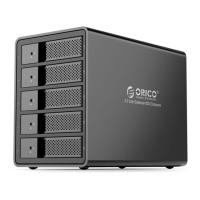
Overview of the ORICO 95 series RU3 multi-bay hard drive enclosure and its features.
Details the key functionalities and design aspects of the ORICO 95 series RU3.
Explains various RAID modes like RAID 0, 1, 3, 5, 10, Big, and Normal for data management.
Step-by-step guide to configuring RAID modes using the physical control switch on the enclosure.
Instructions for downloading, installing, and running the ORICO HW RAID Manager software.
Demonstrates the software interface for creating and managing basic RAID groups.
 General
| Color | Black |
|---|---|
| Interface | USB 3.0 |
| HDD Supported | 3.5 inch SATA HDD |
| Number of HDD Supported | 1 |
| Installation | Tool-free |
| Type | HDD Enclosure |
| Data Cable | 1M USB 3.0 Cable |
| Drive Type Supported | SATA HDD/SSD |
| Hot-swapping | Yes |
| Supported System | Windows, Mac OS, Linux |

 To Next Page