10
Memory
Memory
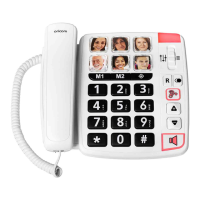
The telephone has 6 one-touch and 10 two-touch memories for
frequently dialed telephone numbers.
When a number is stored into Memory you only press one or two buttons
dependent on location to make a call.
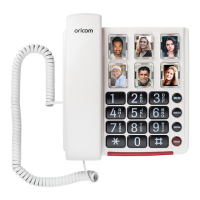
The one-touch memories are M1-M6, the two-touch memories are
accessed using the telephone keypad digits 0-9.
Note:
An alternative to writing the persons name on the memory card
insert is to place a picture of the person programmed into that
memory location.
Storing One-touch Memories
1. Lift the handset.
2. Press STORE button.
3. Enter the telephone number to be stored (up to 22 digits). Press
STORE button.
4. Press either M1-M6 to store the number.
Dialing using One-touch Memories
1. Lift the handset and wait for a dial tone.
2. Press either M1-M6, the stored telephone number will now be dialed.
Storing Two-touch Memories
1. Lift the handset.
2. Press STORE button.
3. Enter the telephone number to be stored (up to 22 digits). Press
STORE button.
4. Press either 0-9 to store the number.
Dialing using Two-touch Memories
1. Lift the handset and wait for a dialling tone.
2. Press MEM button.
3. Select a memory location by pressing the relevant keypad digit 0-9.


 To Next Page