23
ENGLISH
HOW TO USE THE INTERNAL ROTATING INDICATOR RING
Please notice that some models come with an internal rotating indicator ring,
which should be used properly.
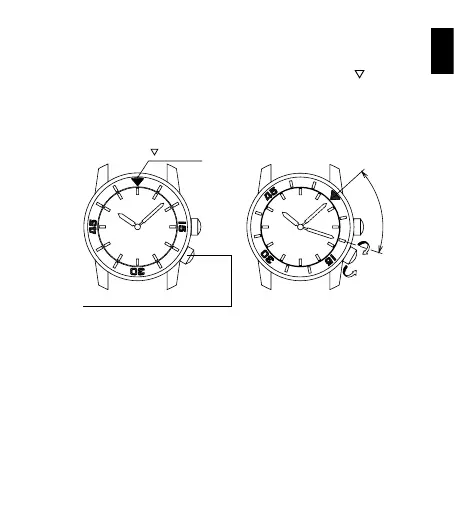
Turn the crown for the internal rotating indicator ring to set the
- mark to
the position of the minute hand.
The position of the internal rotating indicator ring to which the minute hand is
pointing after some time has elapsed indicates the elapsed time.
Setting the mark to the desired time also allows you to know the remaining
time.
- mark
Crown for the internal rotating indicator
E
l
a
p
s
e
d
T
i
m
e
The above figure shows that 10 minutes have elapsed since 10:08.
* The positions of the crown and the appearance of the internal rotating
indicator ring may differ depending on the model.



 To Next Page