* Do not set the date during the time period noted below because the date
is changing.
9:00 p.m. to 1:00 a.m.
If date is set during this time period, the date may not change properly on
subsequent days.
* Avoid this time period when setting the date.
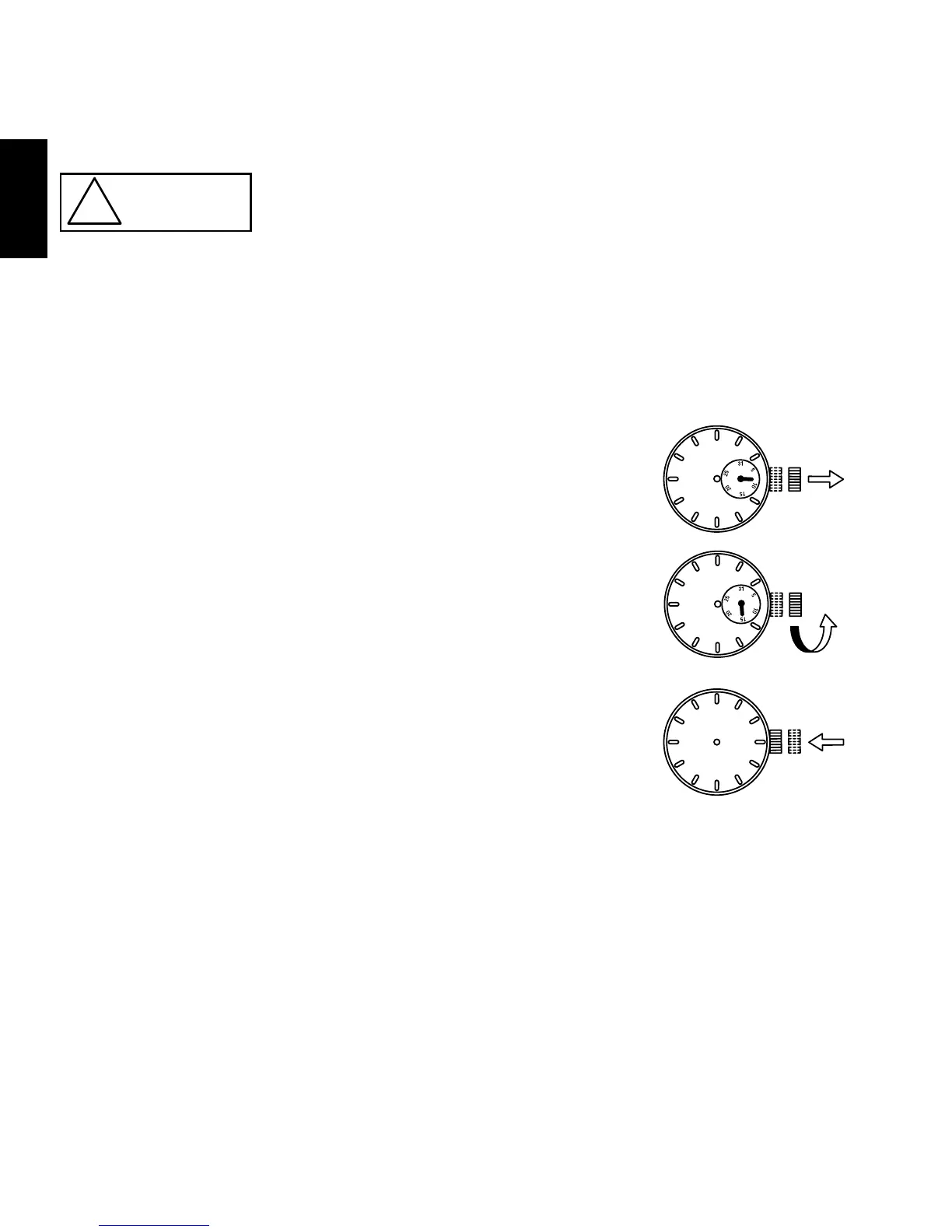
(1) Pull out the crown to the first click.
* The crown on this watch has two click positions.
(2) Turn the crown counterclockwise and adjust the date.
(3) Push the crown back in to the normal position.
* The position of date, day of the week and
24-hour hands and crown differ on some models.
* About date correction at month’s end:
Date correction is necessary for months with 30 days or less.
In this case, set the date to the [1st day] on the first day of the next month.
[24-hour hand]
*UU(KHA) only
The 24-hour hand is interlocked with the hour hand and cannot be adjusted
individually.
Counterclockwise



 To Next Page