9
ENGLISH
HOW TO SET THE TIME AND CALENDAR
[How to set the time and day of the week]
* Days of the week are not automatically adjusted. Adjust the day of the week
by turning the hour and minute hands before setting the time.
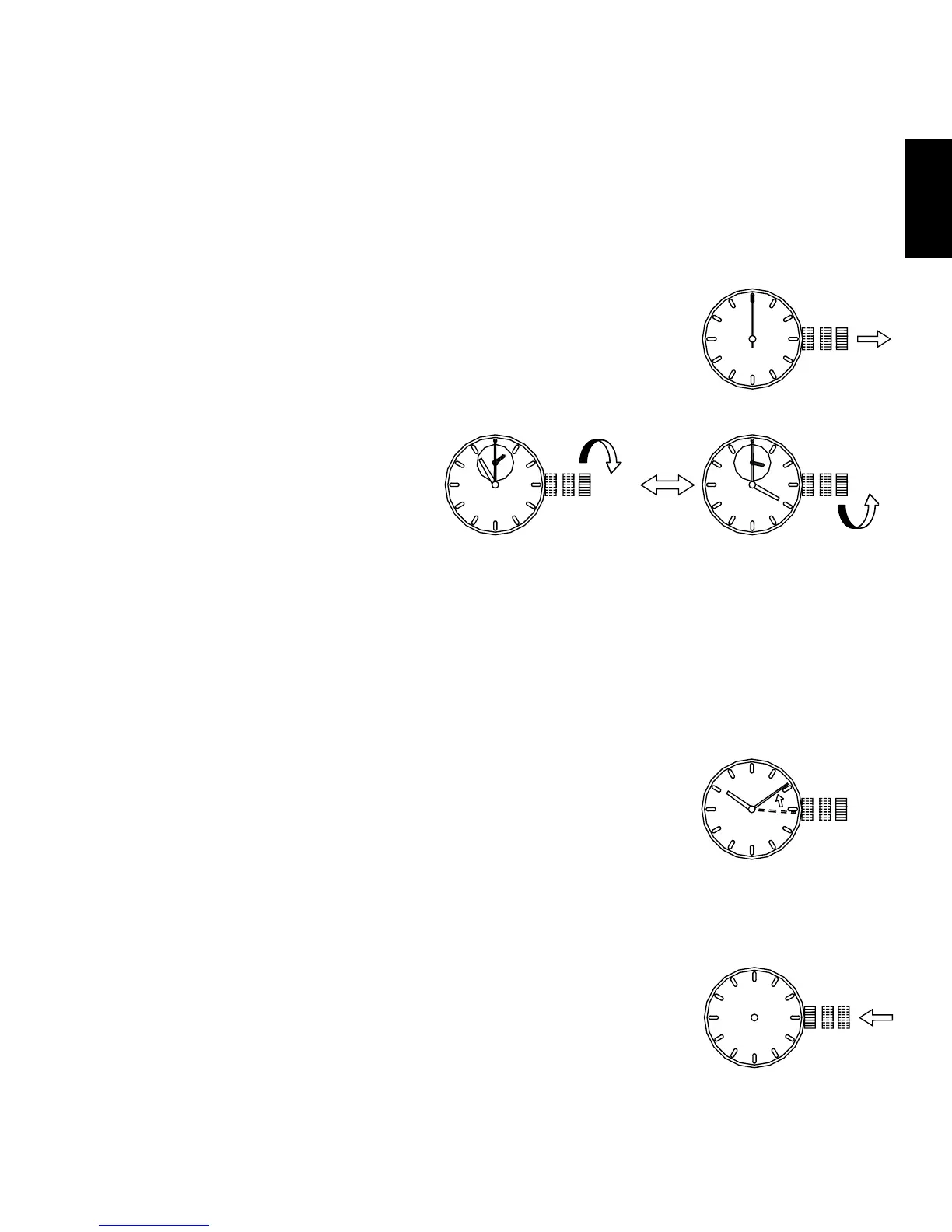
(1) Pull out the crown to the second click when the
second hand is at the 12 o’clock position. The second
hand stops on the spot.
(2) Turn the crown to set the day of the week.
• Turn the crown clockwise.
When the 12 o’clock
position is passed, the day
of the week hand begins to
change.
• Advance the hour and minute hands until the day of the week hand
indicates the next day.
• If further adjustment of the day of the week hand is required, turn the
crown counter-clockwise and go back 4 to 5 hours.
Turn the crown forward again to advance the day of the week hand
faster.
• Repeat this step and set the day of the week.
(3) After the day of the week is set, set the time.
* This watch features a calendar function.
When setting the hour hand, check that AM/PM is
set correctly. The date changes at “0:00 a.m.”.
Check AM or PM with the 24-hour hand. *UU(KHA) only
* When setting the time, first advance it 4 to 5 minutes ahead of the
desired time, and then turn it back to the exact time.
(4) Push the crown back in to the normal position.



 To Next Page