11
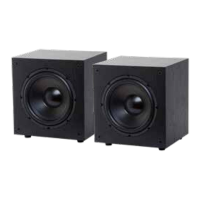
Subwoofer Collection
If possible, it’s oen good to try to isolate the problem first. For example, if you’re playing a DVD on
a television and there’s no sound, try connecting an MP3 player to the system to see if that works. If
it does work, then the problem is with the television, DVD player, or the cables connecting them. If it
doesn’t work, the problem will be with the amplifier, speakers, or those cables.
Troubleshooting
Problem Possible Cause
No Sound The volume may be turned down or muted. Check the volume settings on both
the amplifier and the television/computer/CD player/etc.
No Sound Make sure the proper source is selected on the amplifier or receiver.
No Sound Check the cord connecting the amplifier with the source. The cord may be
damaged or plugged into the wrong input or output.
No Sound Check the wires connecting the amplifier with the speakers. Make sure they’re
connected properly and not damaged in any way.
Poor Sound
Quality
If you hear something like static, or the sound is cutting in and out, check the
audio cables. If the problem increases when a cable is being moved, then the
cable is most likely faulty or not connected properly.
Poor Sound
Quality
Today’s audio systems may have several places to adjust the volume, for
example your MP3 player may have a volume control, and your amplifier may
also have one. Check to be certain that the volume isn’t turned up past 80% on
any device.
Poor Sound
Quality
Try changing sources to be certain that the selection you’ve chosen is a good
quality recording.


 To Next Page