Function Setting
功能設定
4
1.
1. Place the Fan on a stable and flat surface. Plug the Power Cord into an 220-240V~,
50-60Hz electrical outlet. The LED screen will display the current room temperature.
5. 左右送風: 按下左右送風鍵 ,風扇以自動左右搖擺模式送風。如欲停止自動左右搖
5. OSC(LEFT/RIGHT): Press the key to allow the Fan to LEFT/RIGHT oscillate the
擺送風,再按此鍵一次。
wind direction. To stop the oscillation, press the button again.
將風扇擺放於穩固的平面上,將插頭插入交流電壓220-240V~, 50-60Hz的獨立
插座,LED顯示屏顯示室內溫度及液晶燈同時亮起。
3. 風速: 按風速增加鍵 ,增加所需風速:中、高、或超強。LED顯示燈將會顯示風速。
按風速降低鍵 ,降低所需風速:高、中、或低。LED顯示燈將會顯示風速。
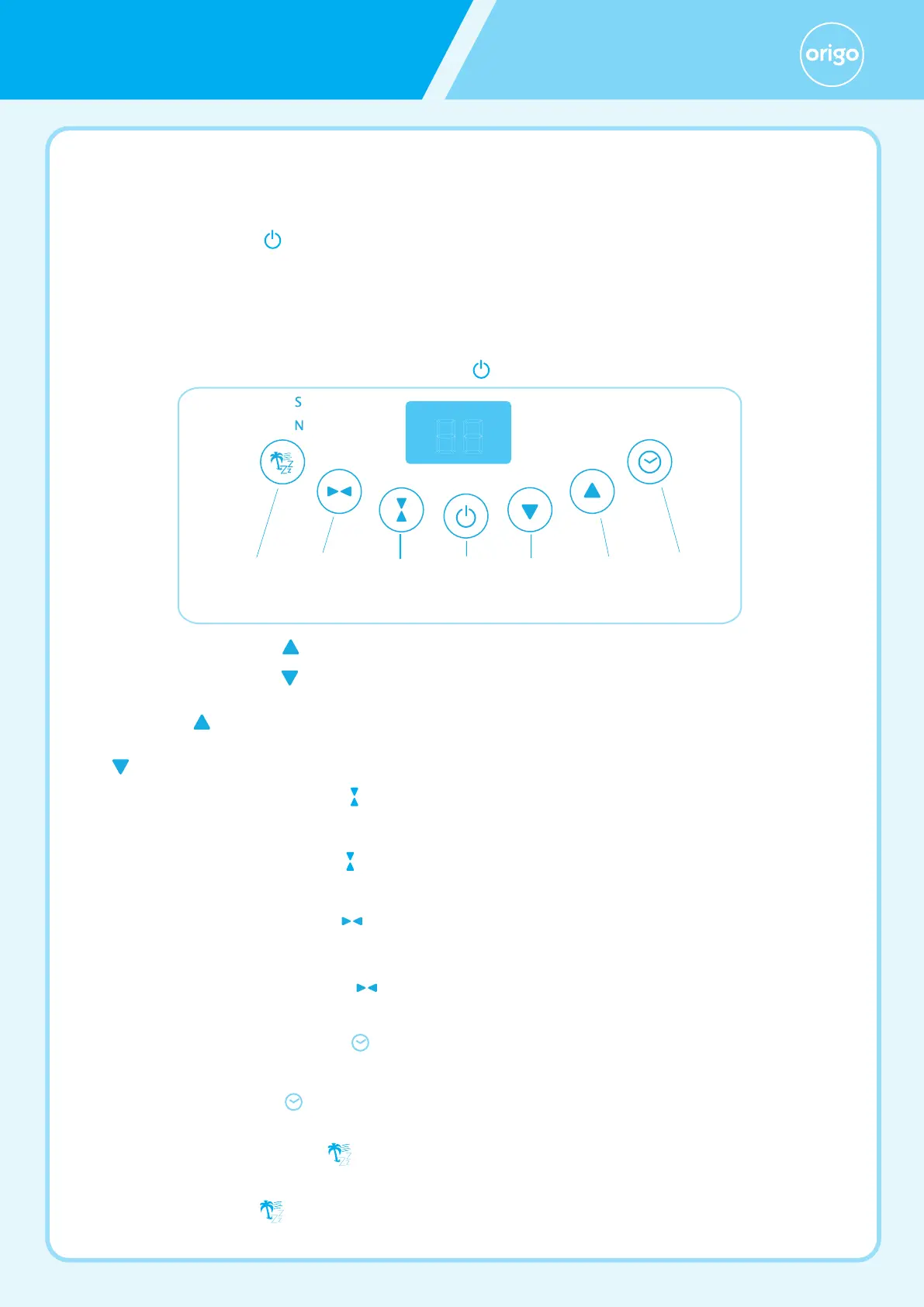
風扇可使用控制面板按鍵操控(如圖1),或改用遙控器操控。
3. SPEED: Increase the Fan speed to the desired level: Medium, High or Gale by
pressing key. The speed setting is displayed on the LED light.
Decrease the Fan speed to the desired level: High, Medium or Low by pressing
key. The speed setting is displayed on the LED light.
2.
2. POWER: Turn the Fan ON by pressing the key, the Fan start at low speed.
開/關:按開/關鍵 ,風扇以低檔啟動。
6. 定時設置: 按下定時設置鍵 ,選定12個不同的自動關機時間,分別由1至12小時,
LED顯示燈將會亮起。
6. TIMER: Pressing the key to set desired auto power off time, There are 12 time
intervals, from 1-hour to 12-hour.
The Fan may be operated by the control panel (as shown in Figure 1) or by your
remote control.
7. 送風模式: 按送風模式鍵 ,設定所需送風模式:自然風、或睡眠風。LED顯示燈將
會亮起。
7. MODE: Press the key to set the Fan as Natural, or Sleep mode. The mode is
displayed on the LED light.
4. 上下送風: 按下上下送風鍵 ,風扇以自動上下搖擺模式送風。如欲停止自動上下搖
4. OSC(UP/DOWN): Press the key to allow the Fan to UP/DOWN oscillate the
擺送風,再按此鍵一次。
wind direction. To stop the oscillation, press the button again.
圖1
Figure 1
開/關
定時風速降低左右送風 上下送風送風模式
TIMERON/OFF SPEED
DECEREASE
L/R OSC U/D OSCMODE
風速增加
SPEED
INCEREASE
圖片只供參考
,
一切以實物為準
The picture is for
reference only,
everything in
kind shall prevail.
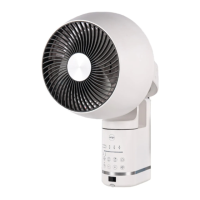
立體搖擺對流扇
3D convection fan


 To Next Page
 Loading...