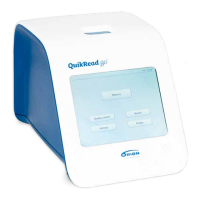
Need help?
Do you have a question about the Orion Diagnostica QuikRead 101 and is the answer not in the manual?
Details about the light source and optics used in the photometer.
Specifies the instrument's physical size, weight, and electrical power needs.
Describes the instrument's embedded software and upgrade process.
Instructions for opening the packaging and checking instrument contents.
Guidelines for selecting an appropriate and safe placement for the instrument.
Steps for connecting the power supply or installing batteries.
Procedures for cleaning, maintenance, and when to contact support.
Steps for powering on the instrument and its initial self-check.
Detailed step-by-step guide for running a diagnostic assay.
Instructions for removing and reading the magnetic card.
Inserting the cuvette for blank measurement.
Adding reagent and shaking the cuvette.
Inserting the cuvette for final measurement and result display.
Describes the instrument's microprocessor and data processing capabilities.
Details the photometer's components, including light source and detectors.
Explains the function of the LCD for user prompts and results.
Describes the magnetic card reader's role in inputting test-specific information.
Information on using the power supply and batteries.
Details the RS-232C serial port for printer or PC connectivity.
Describes the connection for a barcode reader and its integration with LIS/HIS.
Information about the included 1 ml buffer dispenser.
Power-up message showing software version and current date.
Prompt for the user to read the magnetic card.
Displays kit data after successful card reading.
Indicates the instrument is ready to measure.
Shows blank measurement progress.
Instructs user to add reagent and lift cuvette.
Prompt for shaking the cuvette.
Asks user to reinsert cuvette for measurement.
Shows reaction measurement progress.
Displays successful measurement results.
Shows results outside calibration limits.
Displays qualitative positive or negative results.
Indicates that a test was cancelled.
Shows the instrument performing a self-test.
Indicates a self-check error and advises contacting service.
Instructs the user to remove the cuvette.
Troubleshooting for card reading errors.
Troubleshooting for unstable sample readings.
Indicates an expired reagent lot.
Troubleshooting for self-check failures.
Troubleshooting for reagent addition issues.
Troubleshooting for high sample blank values.
Error related to cuvette insertion timing.
Error related to cuvette insertion timing.
Troubleshooting for low internal battery.
Troubleshooting for low voltage from batteries or power supply.
 General
| Brand | Orion Diagnostica |
|---|---|
| Model | QuikRead 101 |
| Category | Medical Equipment |
| Language | English |


 To Next Page