
EasyManua.ls Logo

Orion OCR-480 - User Manual

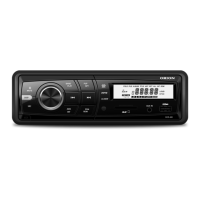
Orion OCR-480
46 pages
Print Icon
To Next Page IconTo Next Page
Loading...
Please read these instructions for use and have a good look at the
illustration before using the appliance.
INSTRUCTION MANUAL
MODEL: OCR-480
CAR AUDIO WITH RDS
Importer & Distributor : Orion Electronics Ltd.
29 Jászberényi út, Budapest, H-1106

Questions and Answers

  • S
    sanchezjoelAug 1, 2025
    How to fix Orion Car Receiver that won't turn on?
    • T
      thompsonangelaAug 1, 2025
      If your Orion Car Receiver won't switch on, first, ensure your car ignition is turned on by turning the key. Then, check the cable connections to make sure they are properly connected. Lastly, verify the fuse and replace it with a new one of the same capacity if it's burnt.
  • T
    Tammy StevensAug 5, 2025
    What to do if there is no sound from my Orion Car Receiver?
    • S
      Sandra BurnettAug 5, 2025
      If you can't hear any sound from your Orion Car Receiver, check the volume level to ensure it is not set to the minimum. Also, verify that the mute function is switched off.
  • J
    Jennifer WilsonAug 10, 2025
    What to do if my Orion Car Receiver's screen does not function normally?
    • J
      Joseph WallaceAug 11, 2025
      If your Orion Car Receiver unit or screen is not functioning normally, it might be due to an unstable system. Press the RESET button to resolve this issue.
  • S
    Stephen PriceAug 16, 2025
    Why are preset stations lost on my Orion OCR-480 Car Receiver?
    • L
      lowemonicaAug 16, 2025
      If the preset stations on your Orion Car Receiver are lost, it could be due to a poorly connected battery cable. Connect the permanent live on the unit to the permanent live on the vehicle to resolve this.
  • V
    Victor MartinezAug 21, 2025
    How to improve poor radio reception quality on Orion Car Receiver?
    • V
      Vincent TorresAug 21, 2025
      If the reception quality of a radio station on your Orion Car Receiver is poor, fully extend the antenna. If the antenna is broken, replace it with a new one.
  • H
    Haley HoodAug 26, 2025
    Why can't my Orion Car Receiver read USB device?
    • S
      sarahbrayAug 26, 2025
      If your Orion Car Receiver cannot read the USB device or SD/MMC card, check that the USB/SD/MMC file system is in FAT or FAT32 format, as the receiver may not support NTFS format. Note that due to different formats, some models of USB storage devices or MP3 players may not be read.

Summary

Safety Precautions

Electrical Safety

Ensure proper grounding, fuse handling, and battery connections for safe operation.

Installation and Usage Safety

Install safely, avoid moisture, and maintain driving awareness for accident prevention.

Faulty Unit Handling

Return unit if water, smoke, or unusual smells occur to prevent further damage.

Product Features

Media File Compatibility

Supports playback of WMA and MP3 files, with specific notes on WMA and MP3 usage.

WMA Specifics

Details WMA data playback capabilities and acknowledges Microsoft trademarks.

MP3 Usage Licensing

Clarifies licensing for private, non-commercial use of MP3 playback technology.

Panel Controls Overview

Power and Mute Functions

Controls unit power on/off and provides an audio mute function.

Band and Tuning Controls

Selects radio bands and allows manual or automatic station tuning.

Playback and Track Navigation

Manages media playback, track selection, and repeat playback modes.

Source and Display Selection

Switches audio sources and cycles through display information.

Volume and Audio Settings

Adjusts volume, sound effects, and accesses the main settings menu.

General Operation

Power and Volume Adjustment

Turn the unit on/off and adjust the audio volume level using the knob.

Mute and Audio Controls

Mute audio temporarily and adjust bass, treble, balance, and fader.

Display and Clock Settings

Select display content and set the unit's clock time accurately.

Source Selection and Auxiliary Input

Switch playback sources and connect external audio devices via AUX.

Tuner Operation

Band Selection and Tuning

Select radio bands (FM/AM) and tune stations manually or automatically.

Station Presets

Store and recall preset radio stations using manual or auto store functions.

RDS and Traffic Features

Utilizes RDS for AF, REG, CT modes and PTY program type selection, plus TA announcements.

Media Playback (USB;SD;MMC;MP3)

Loading and Ejecting Media

Instructions for inserting and removing SD/MMC cards and USB storage devices.

Playback Controls and Features

Covers display info, repeat playback, direct song access, and general playback notes.

MP3 File Format Overview

Explains MP3 technology, file compatibility with ISO 9660, and file naming.

Menu and Settings Configuration

Radio Reception Settings

Configure MASK, RETUNE, SEEK, STEREO/MONO, and LOCAL/DX modes for optimal reception.

Audio and Display Settings

Adjust TA volume, DSP sound effects, loudness, and time format (12/24H).

System and Operational Settings

Manage beep sounds, volume adjustment modes, and regional settings (REG ON/OFF).

Device Connections and Wiring

Wiring Diagram Overview

Illustrates the electrical connections for the unit, antenna, and amplifier.

Connector Pinouts and Functionality

Details the functions of Connector A and Connector B pins for proper connection.

Vehicle-Specific Wiring Notes

Advises on potential wiring modifications for specific car models like VW/Audi.

Installation Guide

Pre-Installation Safety and Preparation

Disconnect battery, secure wiring, and prepare the mounting sleeve for installation.

Mounting Sleeve Installation Steps

Guides on fitting and securing the mounting sleeve into the dashboard opening.

Important Connection Notes

Essential advice on wiring, fuses, and speaker connections to prevent damage.

Installation Procedures

Final Unit Installation and Testing

Covers placing the unit, securing it, testing, and using installation kits or trim plates.

ISO Mounting and Trim Plate

Details ISO installation methods and fitting the trim plate for a clean dashboard finish.

System Reset and Anti-Theft

Reset, Fuse, and Battery Reconnection

Instructions for resetting the unit, replacing fuses, and reconnecting the battery.

Detachable Panel System

Guides on removing and installing the detachable front panel for anti-theft security.

Troubleshooting Guide

General Unit Operation Issues

Resolves problems like unit not powering on, no sound, or screen malfunction.

Tuner and Media Playback Issues

Addresses issues with radio reception, preset loss, and USB/SD card reading.

Technical Specifications

General and Radio Specifications

Details power, output, dimensions, weight, and radio frequency ranges.

Included Components and Disposal

Lists included parts and provides environmental disposal guidelines.

Orion OCR-480 Specifications

General IconGeneral
BrandOrion
ModelOCR-480
CategoryCar Receiver
LanguageEnglish