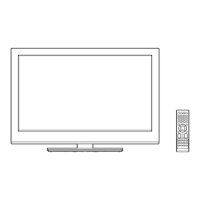
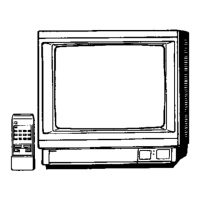
This document provides the service manual for the ORION TV37RN10D, a 37-inch LCD color television. It covers general specifications, disassembly instructions, service mode operations, electrical adjustments, block diagrams, schematic diagrams, waveforms, and parts lists.
The ORION TV37RN10D is a 37-inch LCD color television designed for home entertainment. Its primary function is to display video and play audio from various sources, including broadcast television, external media players, and computers. The television supports both analog and digital broadcasting systems, making it versatile for different regions and signal types.
Important Technical Specifications:
- Display:
- LCD Size / Visual Size: 37.02 inches / 940.3mmV
- LCD Type: Color TFT LCD
- Number of Pixels: 1366(H) x 768(V)
- View Range (Left/Right, Up/Down): 88/88 degrees
- Color System: PAL/SECAM
- Audio:
- Speakers: 2 speakers, front-facing, 2.2 x 5.0 inches
- Impedance: 4 ohms
- Sound Output (MAX): 10W + 10W
- Audio Features: Nicam/A2 Dual stereo/dual TV sound, Tone Control (Bass/Treble/Balance), Surround, BBE (optional), SRS WOW (SRS 3D/Focus/Tru Bass) (optional), Variable Audio Out.
- Tuning:
- Broadcasting System: Analog (U.K., I.R., CCIR, FRENCH System B/G, D/K, I/I, L, L' (SECAM VL)) and Digital (DVB-T OFDM 2k/8k 16QAM/64QAM).
- Tuner: 1 Tuner (Analog+Digital)
- Receive Channels: UK, I.R., CCIR Hyper+France CATV, IreE2~E4, X~Z+2, S1~S10, E5~E12, S11~S41, E21~E69, ItaE~G, F1~F6, Rus6~12, E21~E69.
- Intermediate Frequencies: Picture (FP) 38.9/38.9/38.9/33.9MHz, Sound (FS) 33.4/32.9/32.4/40.4MHz, FP-FS 5.5/6.0/6.5/6.5MHz. Digital 36.167MHz.
- Auto Tuning Method: ALL Band (Not C.C.I.R. CH Plan)
- Preset Channels: Analog 99, Digital Carrier 200 / Service 1000.
- Power:
- Power Source: AC 220-240V AC 50Hz/60Hz
- Power Consumption: 185 W at AC 230 V 50 Hz
- Standby Power (at AC): 9 W (with EPG Timer), 1 W (without EPG Timer)
- Protector: Power Fuse
- Connectivity (Jacks):
- Scart1: AV in, AV out (A.Tuner/D.Tuner), S-Video in, RGB in.
- Scart2: AV in, AV out (Monitor), S-Video in, RGB in.
- PC Monitor Input: VGA (640x480, 720x400, 800x600, 1024x768, 1280x768, 1280x720, 1360x768).
- HDMI Input: VGA (640x480), 720x480i/p, 720x576i/p, 1280x720p, 1920x1080i.
- Component Input: 720x480i/p, 720x576i/p, 1280x720p, 1920x1080i.
- Other: RCA Audio Out, S-Terminal Jack, Headphone Jack, Coaxial.
- Environmental Conditions:
- Operation Temperature: +5°C ~ +40°C
- Storage Temperature: -20°C ~ +60°C
- Operating Humidity: Less than 80% RH
Usage Features:
- Remote Control: The TV37RN10D comes with an RC-NV remote control (ORION, NEC format, custom code 80-63h) powered by 2 UM-3 batteries. It features 42 keys, including power, display/status, menu (analog/digital), input select, TV/DVB-T, guide, picture size, numeric keys (0-9), sleep, mute, volume up/down, channel up/down, enter/CH list, exit, freeze frame, TV/Radio, subtitle, and teletext keys.
- OSD Language: Supports English, Spanish, German, French, Italian, Swedish, Dutch, Russian, Portuguese, Turkish, Greek, Finnish, Polish.
- Picture Settings: Includes Picture Preference, Brightness, Contrast, Color, Tint, Sharpness, DNR, Color Temperature, Blue Back, Backlight Control, and Film Mode (optional). For PC input, it offers Brightness, Contrast, HOR/VER Position, Phase, Clock, Auto Adjust, RED/GREEN/BLUE, and Backlight.
- Tuning Features: Auto Tuning, Manual Tuning, CH Allocation.
- Lock Functions: Panel Lock (optional), Channel Lock (optional), Hotel Lock (optional).
- Screen Saver: Inversion (optional), Full White (optional), Screen Saver (optional), Static Image (optional).
- Wide Mode: Supports AUTO/4:3/FULL SCREEN/16:9/CINEMA/14:9, HD Zoom, Picture Scroll (Vertical Position).
- Parental Control: Features a 4-digit password cancellation for the Rating Level menu. The default password is 0000.
- Timer Functions: Sleep Timer (Max 120 Min, 10 Min step), On/Off Timer (Program), Wake Up Timer (Program), Timer Back-up (at Power Off Mode) (optional).
- Digital TV Features: Digital Text (VBI teletext), MHEG-5 (optional), EPG (BBC type 8Days Digital tuner only), OAD (Over Air Download), Common Interface (Digital tuner only), Rec Screen Status, Ch sorting based on Ch List (Digital/Germany only), Rename Carrier (Digital), Edit Event Timer, Software Update via CI Slot, Preference Language (Audio/Subtitle/Digital Service) (Digital), Ch Organizer (Fav, Lock, Skip, Go To, Delete, Rename, Move, Move to), Parental Lock (Digital), DVB Subtitle (Digital).
Maintenance Features:
- Servicing Notices: Emphasizes keeping notices, avoiding electric shock, using designated parts (especially safety-critical ones marked with a
mark), careful handling of the LCD panel, returning parts and wires to original positions after assembly, and performing a safety check after servicing (including insulation resistance check).
- Lead-Free Solder (PbF): PCBs manufactured with lead-free solder are indicated by a "PbF" printing. Special care is required for soldering/unsoldering PbF components due to higher melting points (86°F~104°F higher than standard solder) and a tendency to splash when overheated. A soldering iron with temperature control adjusted to 650°F ± 20°F (350°C ± 10°C) is recommended.
- IC and Transistor Replacement: When exchanging ICs and Transistors with a heat sink, new silicon grease (YG6260M) must be applied, and old grease removed to prevent damage.
- Service Mode List: Provides access to various service modes for repair, examination, and adjustment:
- Factory Initialization: Resets memories, channel settings, and power-on total hours.
- Check Sum Data: Displays SUM DATA, POWER ON total hours, and MICON VERSION.
- Parental Lock Password Initialization: Resets the password for Parental Lock (Digital).
- Initial Data Check: Allows checking the initial data of the MEMORY IC.
- Adjustment Menu: Displays the On-Screen Display Adjustment menu.
- EEPROM Replacement Procedure: Detailed steps are provided for confirming check sums, power-on total hours, and MICON version, as well as for confirming and inputting initial data after replacing the MEMORY IC. This includes setting the unit to TV mode, minimum volume, and pressing specific button combinations on the set and remote control.
- Electrical Adjustment Procedures: Covers basic adjustments like White Balance and Contrast Max, with specific steps for different input modes (RF, Video, AV RGB, S-Video, Component). It also includes a detailed table for confirmation of fixed value adjustments across various tuner and AV modes.
- Disassembly Instructions: Provides step-by-step guidance for removing and installing flat package ICs, including using masking tape, blower-type desoldering machines, tweezers, and braided shield wire. It emphasizes careful handling to avoid damage to IC leads or solder lands.

 Need help?

 To Next Page
 General