12
PITCH – Fine Tuning
In those cases where transposition by semitones is not enough, and a more accurate tuning is
necessary, it is still possible to change pitch.
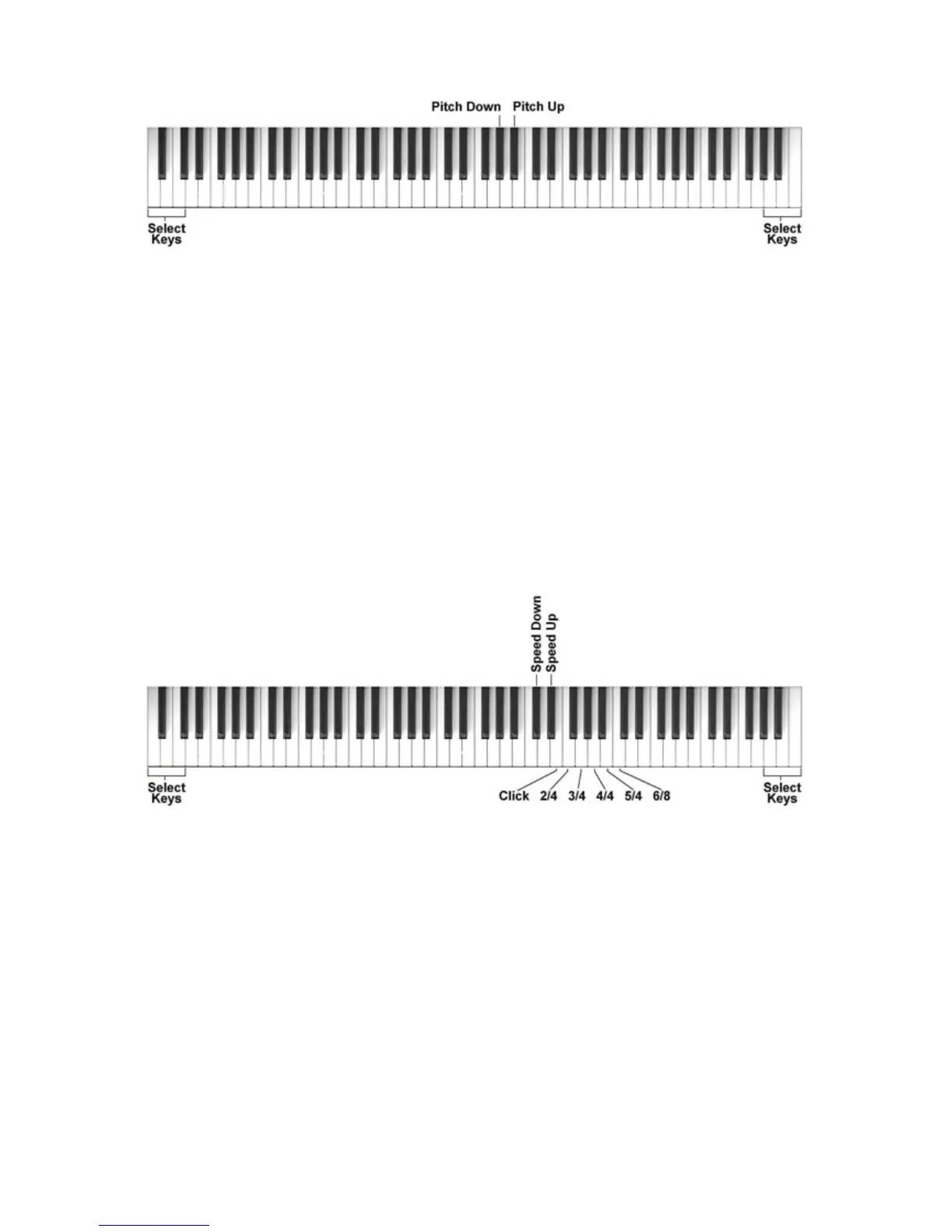
To change the PITCH of the instrument, hold the 3 white SELECT keys and press the desired key
for the PITCH control UP (A#3) or DOWN (G#3) as many times until you hear that the new Pitch
value is set as desired. The Pitch Range will change by max 1 Semitone down and 1 semitone up.
To restore the natural Pitch of the instrument, hold the 3 white SELECT and press the both the G#3
and A#3 keys at the same time.
When the instrument is turned Off and back On again, the Pitch value will always reset to the
natural pitch .
METRONOME
There are different Time Signatures available : CLICK, 2/4, 3/4, 4/4, 5/4 and 6/8.
1 - To select the metronome type, hold the 3 white SELECT keys and press the key related to the
selected time signature:
Press the key related to the note E4 to select the CLICK setting.
Press the key related to the note F4 to select the 2/4 setting.
Press the key related to the note G4 to select the 3/4 setting.
Press the key related to the note A4 to select the 4/4 setting.
Press the key related to the note B4 to select the 5/4 setting.
Press the key related to the note C5 to select the 6/8 setting.
2 - As soon as the selected key is pressed, the METRONOME starts playing.
3 - While Metronome is playing, it is possible to change the tempo speed of the by using the
SPEED UP key (D#4) and the SPEED DOWN key (C#4) and pressing the 3 white SELECT keys.



 To Next Page