13
4 - To stop METRONOME feature, hold the 3 white SELECT keys and press the key related to the
selected time signature that is now playing.
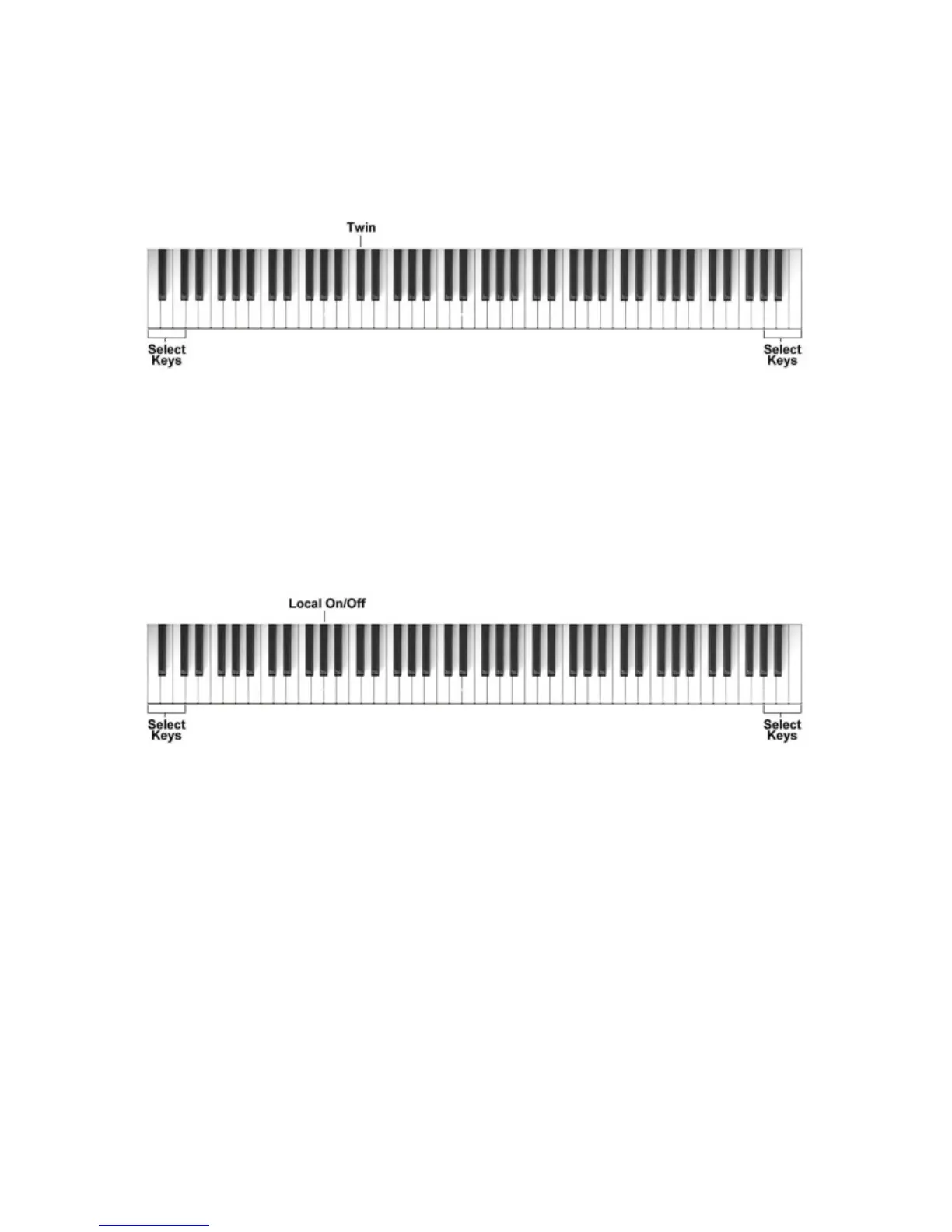
TWIN FUNCTION
This is a nice teaching feature that allows two players (teacher and pupil for example) to play at the
same time on the same instrument and in the same octave.
To select the TWIN function – to split the keyboard in two half for practicing teacher/student - hold
the 3 white SELECT keys and press the C#2 key related to the selected to the feature.
To return to normal playing repeat the function: the 3 white SELECT keys and Twin key.
LOCAL ON/OF
The Local On/Off feature allows to play via midi a second instrument without hearing the internal
sound of the Stage Starter.
To select the LOCAL ON/OFF function, hold the 3 white SELECT keys and press the G#1 key
related to the selected to the feature.
To return to normal playing repeat the function: the 3 white SELECT keys and Local On/Off key.



 To Next Page