Software Updates
New software updates for the JamKey will be possibly available on the www.jamkey.net
website.
How to install Firmware Update for the JamKey keyboard
The Firmware Update File is a file with extension .bin. It is possible to update the JamKey
using the JamKey Editor function.
1- Download firmware file .bin from our site www.jamkey.net on the computer.
2- Switch OFF the JamKey keyboard.
3- Open the JamKey Editor Tool on the computer.
4- Switch ON the JamKey keyboard holding the tab “Soft/Normal” on the Left Control
Panel.
The eight programmable Tabs on the Right Control Panel will illuminate in ascending
sequence.
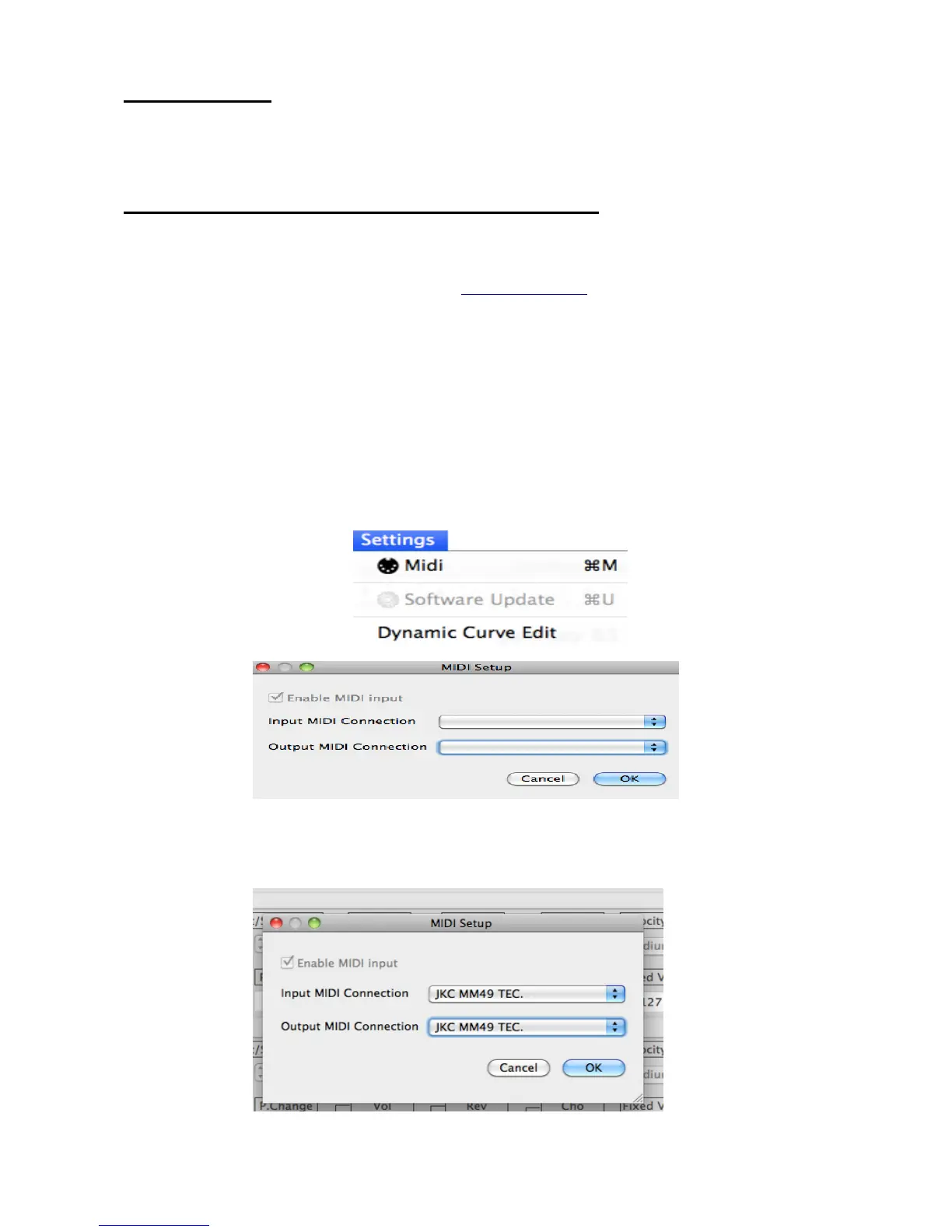
5- Select MIDI from the Settings Menu:
6- Choose Midi Input and Midi Output Connection drop down menu and select:
JKC MM49 TEC.



 To Next Page