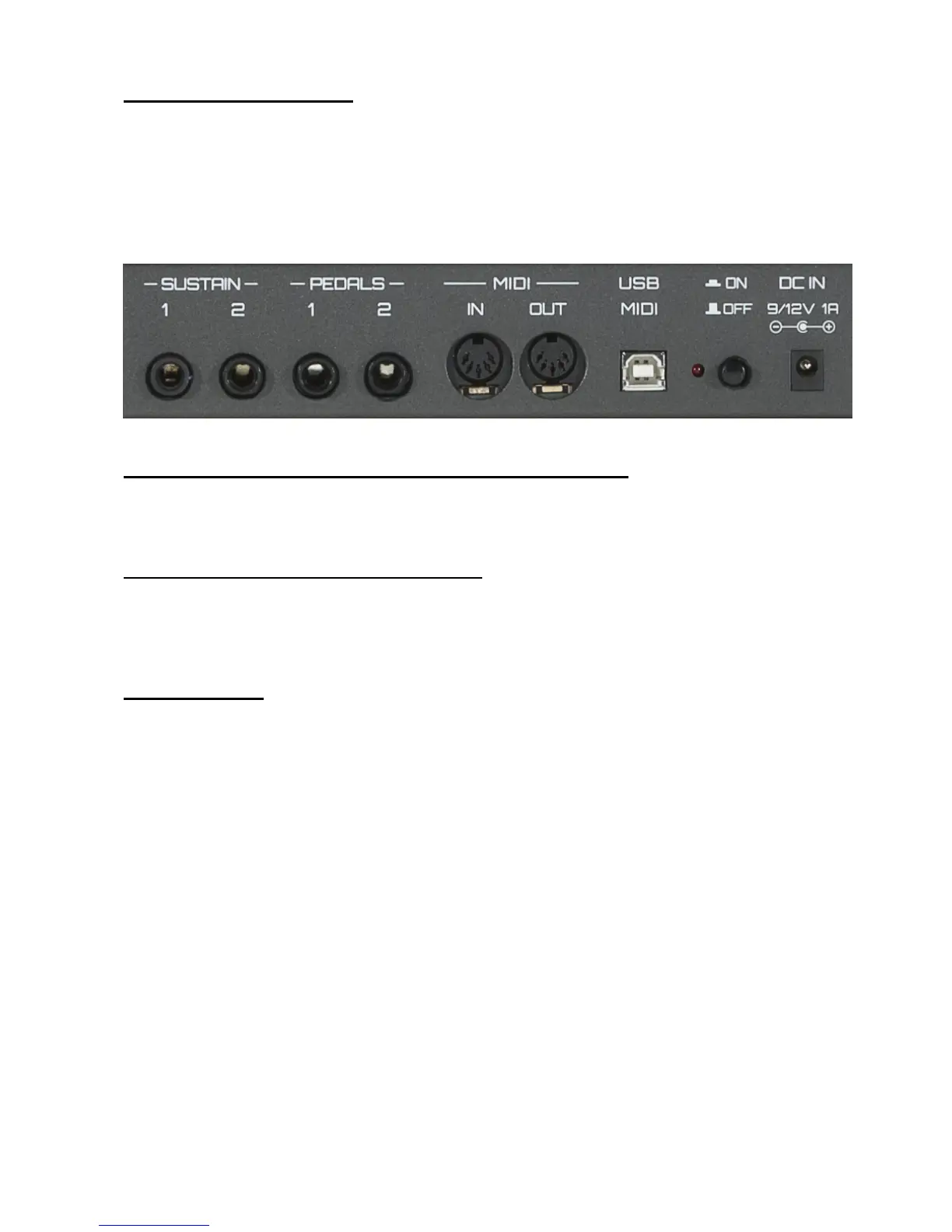
Connections on Rear Panel
2 Sustain Pedal (assignable)
2 Expression Pedal (assignable)
2 Midi Port (IN/Out)
1 USB Midi
1 Switch ON/OFF
1 Led ON/OFF
1 DC IN 9/12V 1A
Go to our site www.jamkey.net and download JamKey Editor
To start your JamKey controller, download the JamKey Editor from the dedicated website
www.jamkey.net, where you can also download the current default Patches and the User
Manual.
What is the purpose of the JamKey Editor?
All the Physical Drawbars, Rotary controls, Buttons and Pads on the JamKey are totally
assignable and can be reprogrammed for different functions using the JamKey Editor.
You can map, assign all controls and store your Patches in the sixteen memory locations
of the instrument.
What is a Patch?
A Patch is an object that describes how MIDI settings are assigned to the various
controllers. By using the Patch system, you can easily change settings that you need for
specific sounds or registrations.
Using the JamKey Editor you can make your own Patch to store and recall directly from
the JamKey. There are sixteen memory locations to store data in two Banks: A (from 1 to
8) and B (from 9 to 16).
You can also store and recall Patches on a computer when connected via USB cable.
It is possible to configure and store a huge array of Patches in this way.


 To Next Page
 Loading...