
 Need help?
Do you have a question about the Ortek TD-650 and is the answer not in the manual?
Details compliance with Part 15 of FCC Rules and operational conditions for the device.
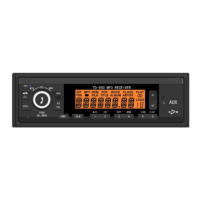
Describes the purpose and operation of each button on the car radio's control panel.
Explains the various symbols and text indications shown on the unit's LCD screen.
Simple steps to turn the device's power on and off using the PWR button.
Guide to set the current time, including hour and minute adjustments.
How to change the audio source between RADIO, Bluetooth, USB, and AUX modes.
Procedure for resetting the car radio unit in case of malfunctions.
Information on FM and AM frequency ranges, step widths, and basic tuning operations.
Instructions for auto seek, manual seek, auto preset, and manual preset station storage.
Outlines specific frequency ranges and step widths for various geographical regions.
Steps for playing MP3 files from a USB drive and understanding playback information.
Details on using buttons for play/pause, next/previous song, and special modes like INT, RPT, RDM.
How to modify volume, treble, bass, and balance for personalized audio.
Guide to choosing from POP, ROCK, CLASSIC, or FLAT audio sound effects.
Instructions for activating the loudness function to enhance sound at low volumes.
Covers connecting via Bluetooth for music playback and handling phone calls.
How to connect and play audio from external devices using the 3.5mm AUX cable.
Details on answering, refusing, and ending calls via Bluetooth.
Definitions for LCD display elements, modes, and audio settings.
Reference guide for identifying the function of each pin on the unit's connector.
Advice on safely cleaning the unit's panel using appropriate materials.
Solutions for common operational issues like no sound, no power, and signal problems.
 General
| Brand | Ortek |
|---|---|
| Model | TD-650 |
| Category | Car Receiver |
| Language | English |

 To Next Page