5
How to Insert the Card
To make sure your smartphone will be able to call and receive calls and text messages, put
the SIM card in the following order.
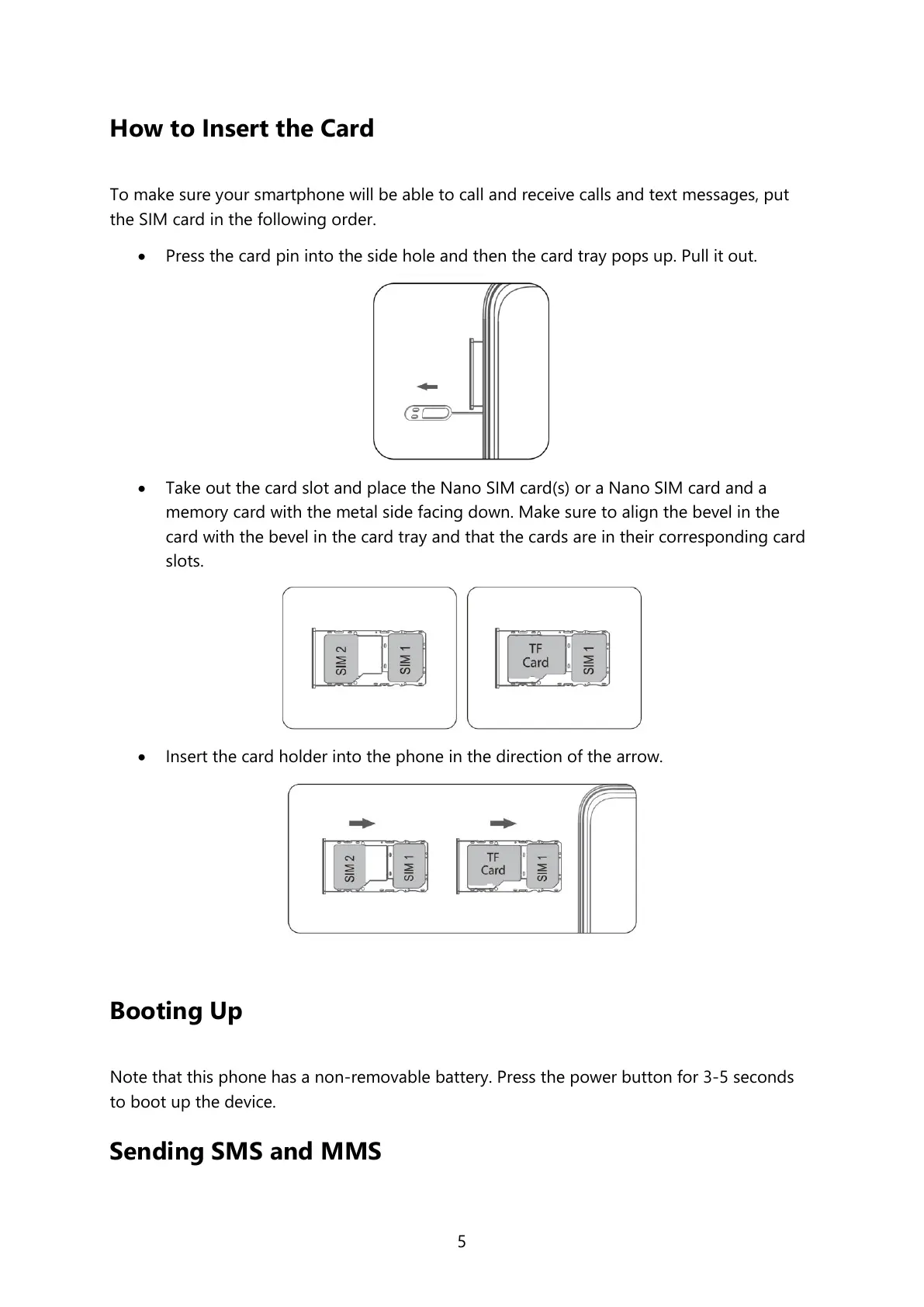
Press the card pin into the side hole and then the card tray pops up. Pull it out.
Take out the card slot and place the Nano SIM card(s) or a Nano SIM card and a
memory card with the metal side facing down. Make sure to align the bevel in the
card with the bevel in the card tray and that the cards are in their corresponding card
slots.
Insert the card holder into the phone in the direction of the arrow.
Booting Up
Note that this phone has a non-removable battery. Press the power button for 3-5 seconds
to boot up the device.
Sending SMS and MMS


 To Next Page