List of Figures
OSA 5240 - User Manual - Revision P - June 2009
viii
List of Figures
Figure 3-1 System Architecture....................................................................................................
3-3
Figure 3-2 Schematic presentation of the phase buildout.............................................................3-5
Figure 3-3 Example of filtering the GPS synchronization signal. ..................................................3-7
Figure 3-4 Block diagram of the Re-Timing Function. ..................................................................3-9
Figure 4-1 Dimensions - Front View.............................................................................................4-3
Figure 4-2 Dimensions - Top View...............................................................................................4-3
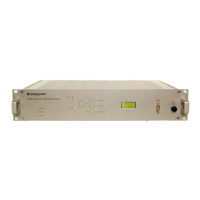
Figure 4-3 Front Panel Description - example E1.........................................................................4-4
Figure 4-4 Front Panel Description - example T1.........................................................................4-4
Figure 4-5 Rear Connector Panel - example E1...........................................................................4-9
Figure 4-6 Rear Connector Panel - example T1...........................................................................4-9
Figure 4-7 Rear Output Slots - example model E1.....................................................................4-10
Figure 4-8 Rear Output Slots - example model T1 .....................................................................4-11
Figure 5-1 Rear Power Supplies DC Connection Location...........................................................5-6
Figure 5-2 Rear Power Supply AC Connection Location..............................................................5-6
Figure 5-3 DC Connection View...................................................................................................5-7
Figure 5-4 AC Connection View...................................................................................................5-8
Figure 5-5 Rear Unit Connection GPS Antenna Location.............................................................5-9
Figure 5-6 Rear Unit Connection AUX Inputs Location...............................................................5-10
Figure 5-7 BNC Aux Input Connector.........................................................................................5-11
Figure 5-8 Typical use of the TEX-P with the OSA 5240 Telecom GPS Receiver ......................5-12
Figure 5-9 Rear unit output signals ............................................................................................5-13
Figure 5-10 BNC Output Connectors .........................................................................................5-15
Figure 7-1 Alarm Output...............................................................................................................7-3
Figure 7-2 RS 232 for Local Management Port ............................................................................7-4
Figure 7-3 Remote Management Port..........................................................................................7-6
Figure 8-1 Remote Management Port.........................................................................................8-4


 To Next Page