Need help?
Do you have a question about the OSI Security Devices OM300 and is the answer not in the manual?
Details on new features introduced in Firmware Version 2.xx.
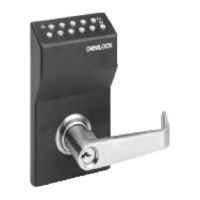
Overview of the OMNILOCK access control system's functionality and design.
Explains the four system access levels: Unlocked, Code Required, Lockout, and Shutdown.
Describes the seven types of codes (Master, Submaster, Manager, etc.) and their functions.
Details on setting, using, and security considerations for the Master Code.
Explains the roles and privileges of Submaster, Manager, and Supervisor codes.
Defines General User, Service, and Audit code functionalities and usage.
How to set up and manage user code groups and their boundaries.
How to program automatic access level changes based on time and day.
Setting up holidays to override daily schedules for specific dates.
Step-by-step guide on how to use the lock and understand its basic functions.
Explains the meaning of the Green and Red lights on the keypad.
Procedures for Manager and Supervisor code operations and privilege management.
Description of the anti-tamper shutdown mode and its behavior.
Explains the syntax rules for entering commands in Command Mode.
Overview of Command Mode and Menu Mode for system programming.
How to enter and use Command Mode for system programming.
Interpreting light signals for command success or failure.
Adding, holding, restoring, and verifying user codes via Command Mode.
Assigning Supervisor/Manager privileges and setting access levels.
Enabling/disabling groups and configuring service code time limits.
Checking code status and switching between Command and Menu modes.
How to use the WP4000 printer and enter the Menu Mode.
Overview of main menu options and operational controls.
Managing user codes including adding, removing, verifying, and holding.
Adding, removing, verifying, and holding Service and Audit codes.
Operations for Submaster codes and changing the Master Code.
Setting access levels, time schedules, and managing holidays.
Configuring system settings like clock, delay, daylight savings, groups, location, and diagnostics.
How the system indicates low battery status and potential shutdown.
Step-by-step instructions for replacing batteries in different lock models.
Procedure for resetting the system to factory defaults, including data loss warning.
Instructions for installing batteries, paper, and basic printer operation.
Performing printer self-tests and understanding operating information.
Contact information for product support, pricing, and technical issues.
Information on warranty service, out-of-warranty repairs, and return procedures.
Visual representation of the Command Mode programming flow.
Diagrams illustrating programming paths within the Menu Mode.
 General
| Brand | OSI Security Devices |
|---|---|
| Model | OM300 |
| Category | IP Access Controllers |
| Language | English |


 To Next Page