14
8. OPERATING OSKA PULSE
POWER ON
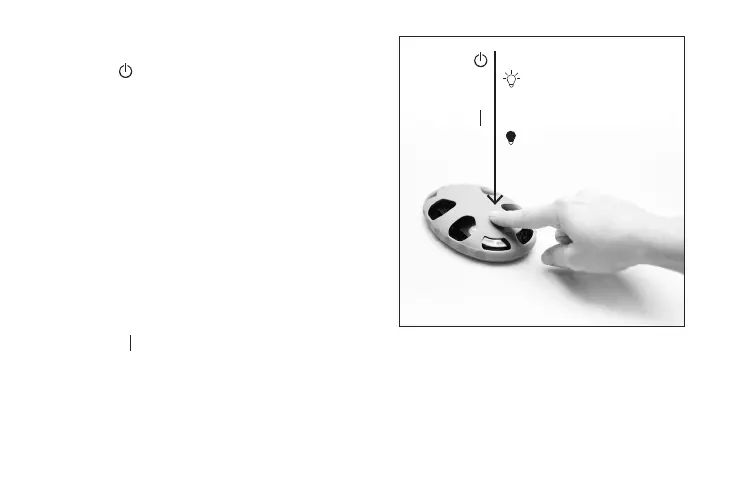
Press and release the button located on top
of the device to power on your Oska Pulse.
The device will emit a soft beep. LED lights
will begin to pulse at the perimeter of the
device to indicate PEMF is being emitted.
The PEMF session starts as soon as the
device is powered on. The device will start
a new session each time it is powered on.
Note: Most individuals will not feel the electromagnetic
field (PEMF) due to its low frequecy range. This is
normal and expected. Oska Pulse PEMF
therapy is non-invasive.
POWER OFF
Oska Pulse is preset to run for 3-hours without
interruption, then automatically turn o when the duration completes. A session
can be stopped early by quickly pressing and releasing the power button three (3) times.
The device will beep and LED lights will turn o to indicate the device is powered o.
Figure 3: Turn on your Oska Pulse
On = 1-press
LED lights start flashing
O = 3-press
LED lights stop flashing


 To Next Page