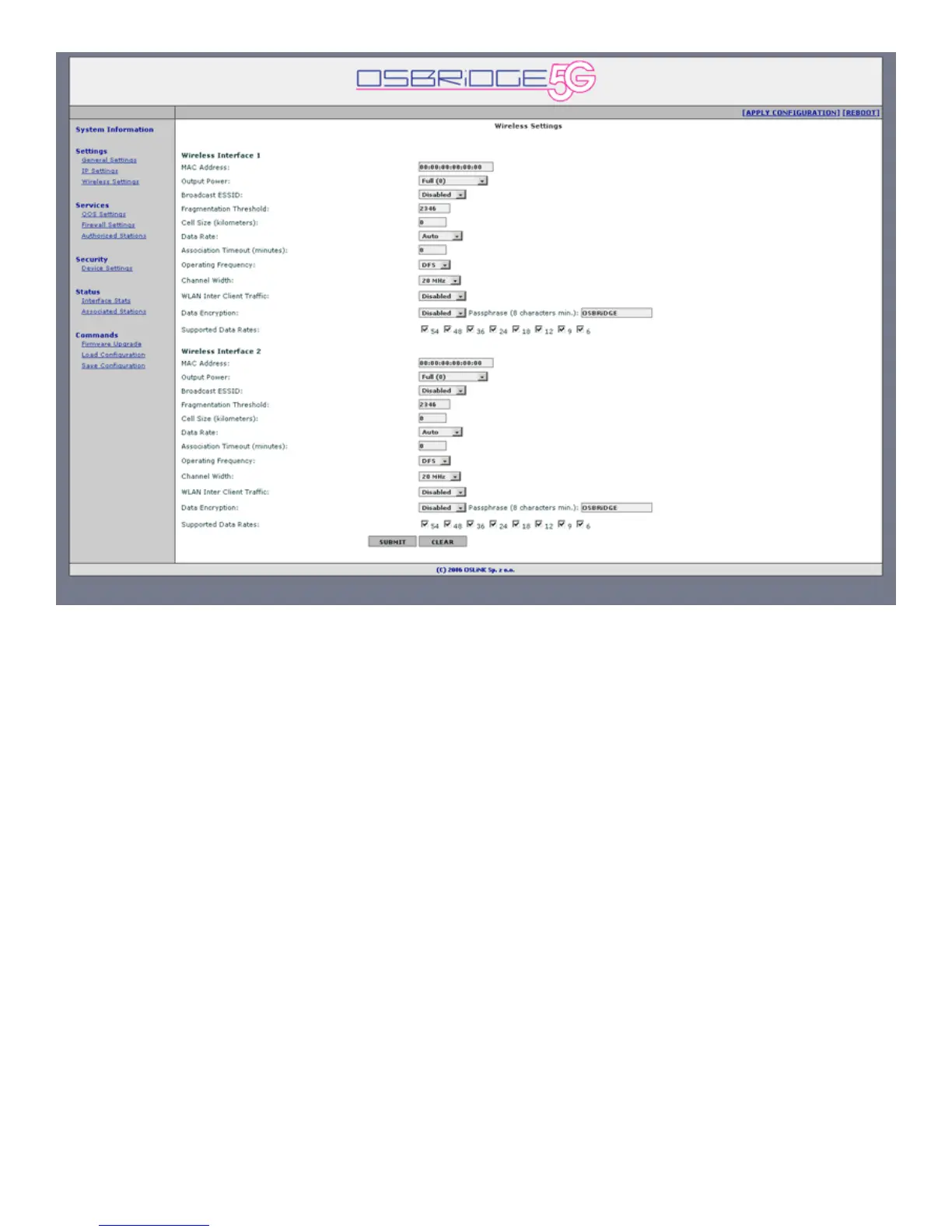
5. Wireless Settings
MAC Address – MAC Address the wireless interface should use for operation. When set to
00:00:00:00:00:00 (default value) device will use factory assigned MAC address, when set to
any other valid value the device will use user configured MAC address. MAC address can not be
set to ff:ff:ff:ff:ff:ff, MAC address of the other wireless interface nor to the MAC address of the
ethernet interface (the main MAC address visible in the System Info tab).
Output Power - By default, the OSBRiDGE 5G transmits data at the maximum output power for
the regulatory domain selected and frequency used. With Transmit Power Control (TPC), you can
adjust the output power of the unit to a lower level in order to reduce interference from
neighboring devices.
Broadcast ESSID – Choose whether the device should broadcast its ESSID, so it would be
visible to anyone, or if ESSID should not be broadcasted.
Fragmentation Threshold – Enter the size at which the packets will be fragmented.
Cell Size (km) - Configure distance between OSBRiDGE 5G device and the most distant client
connecting to it.
Data Rate – Choose data rate the device will support while connecting to the Access Point.
Available Data Rates are:
6, 9, 12, 18, 24, 36, 48 and 54 Mbps for regular 802.11a mode,
12, 18, 24, 36, 48, 72, 96 and 108 Mbps in 802.11a Turbo mode,
3, 4.5, 6, 9, 12, 18, 24 and 27 Mbps for 802.11a mode with 10 MHz channel width,
1.5, 2.25, 3, 4.5, 6, 9, 12 and 13.5 Mbps for 802.11a mode with 5 MHz channel width.
Association Timeout – Configure how much time has to pass before idle client device will be
automaticaly disassociated by Access Point.


 To Next Page
 Loading...